30 recipes · Works with Claude Code, Codex & ChatGPT
Pick a style. Your AI edits the video.
Record or drop in your footage (or just type an idea), choose an edit recipe, and the built-in AI agent cuts the rambling, adds captions, zooms, graphics and sound, and hands you a finished video for YouTube, Shorts or Reels. Runs on your computer with your own Claude or ChatGPT. Or let Claude Code drive it: every button is an MCP and CLI command, and every edit stays on a timeline you can tweak by hand.
Everything it takes to go from raw clip to published video.
Scroll through the editor. Every edit stays applied as the next one lands, the way it works in the app.
Screen and camera, in one take
Pick a screen or a window, turn on your camera, and a 3-2-1 countdown gives you a moment to get ready. Or import a video you already have.
New recording

Pick the style. Your AI does the edit.
Each recipe is an edit style that works: the cuts, captions, graphics and sound. Choose one, point it at your recording (or just give it an idea), and the built-in AI agent edits the whole video. Hover to preview, click to watch.
Shorts · 9:16
Long-form · 16:9
30 recipes in the app today, with new ones added to the catalog without an update. Or save any edit you like as your own recipe.
Ali Abdaal's edit, rebuilt by a recipe.
Pick the style you want and the Educator recipe rebuilds its moves on your footage. Each pair: a frame from one of his videos, then the same move from our recipe, on an AI presenter.
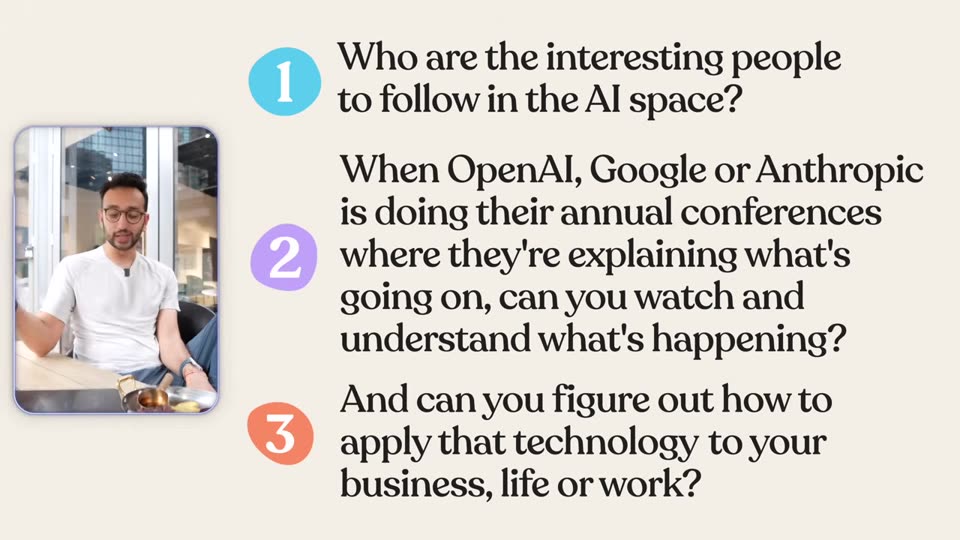 Ali Abdaal
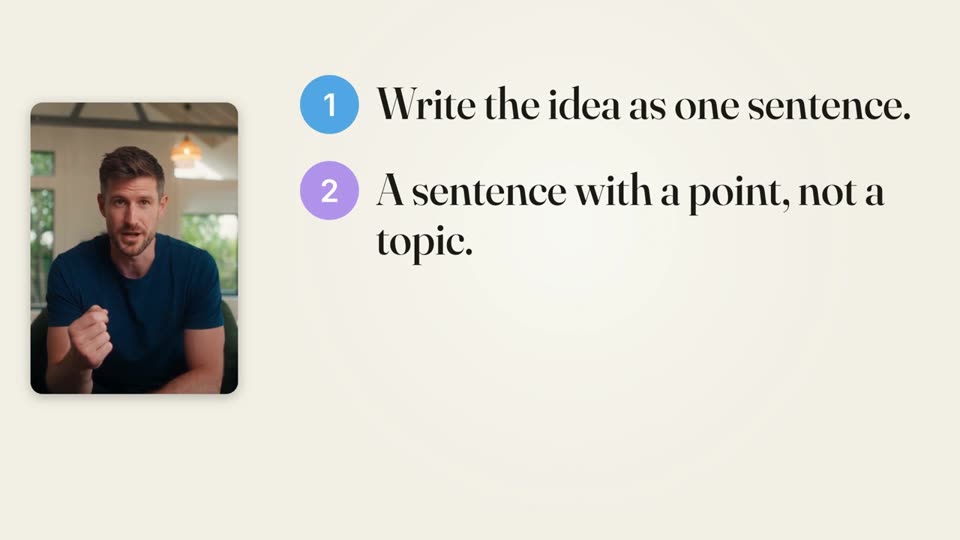 PandaStudio
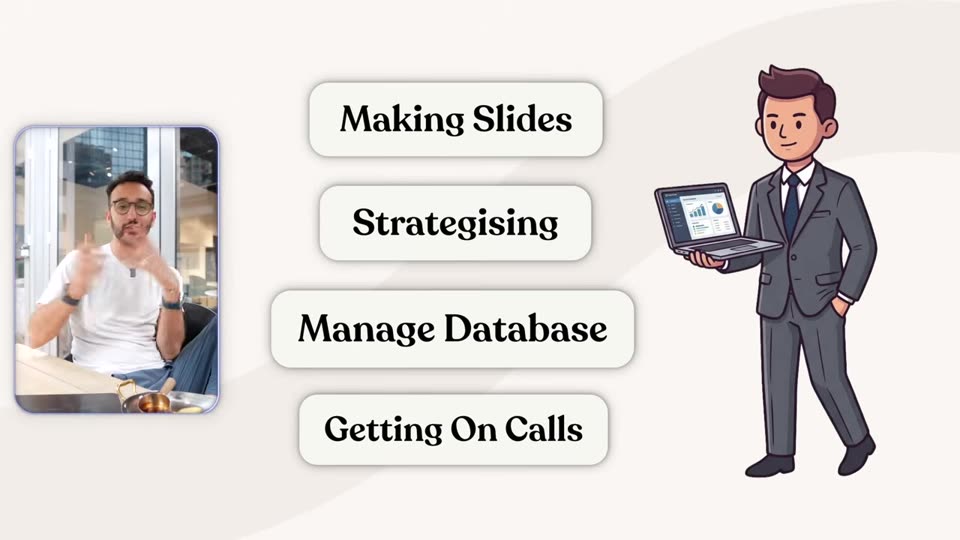 Ali Abdaal
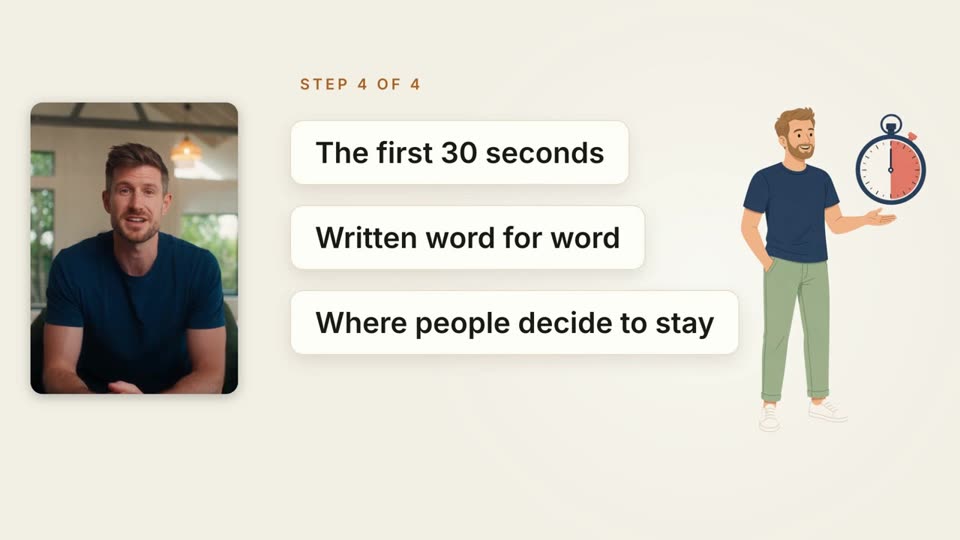 PandaStudio
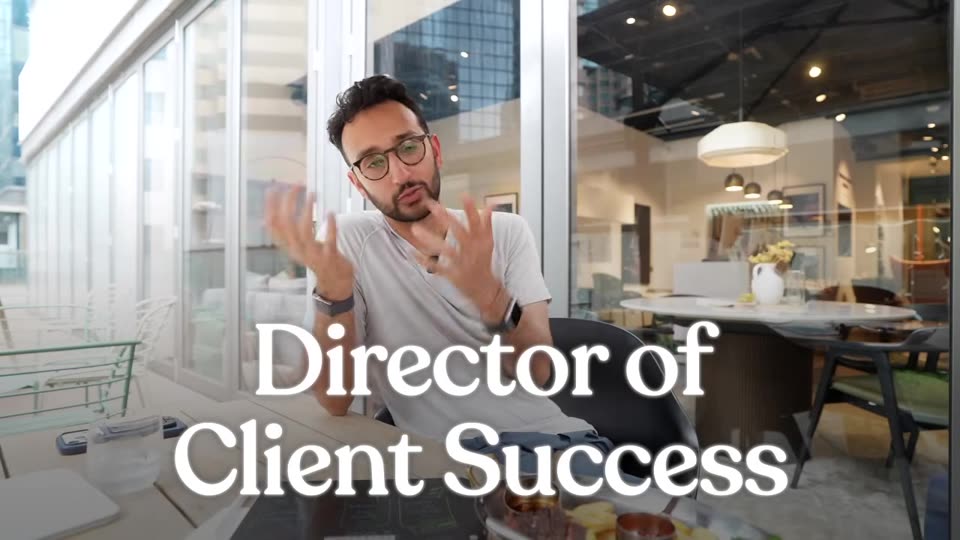 Ali Abdaal
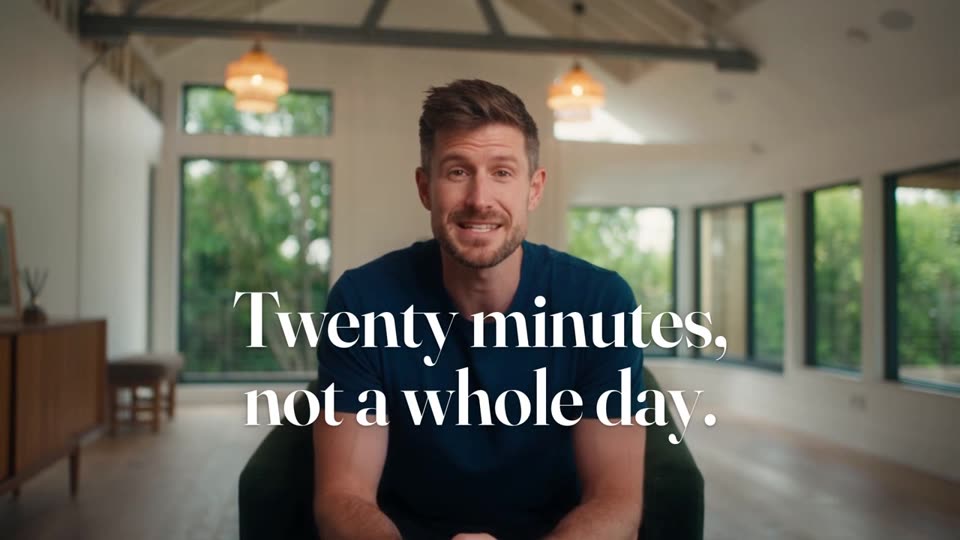 PandaStudio
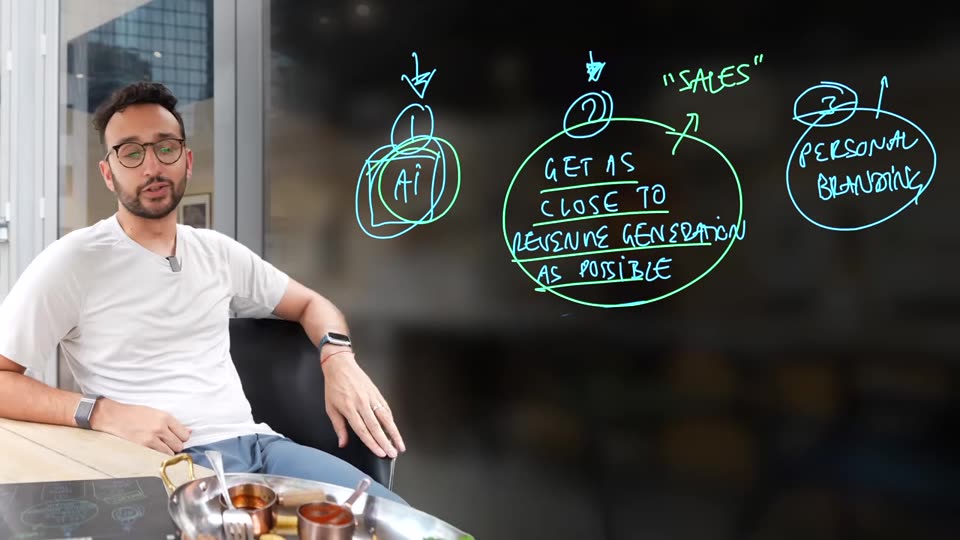 Ali Abdaal
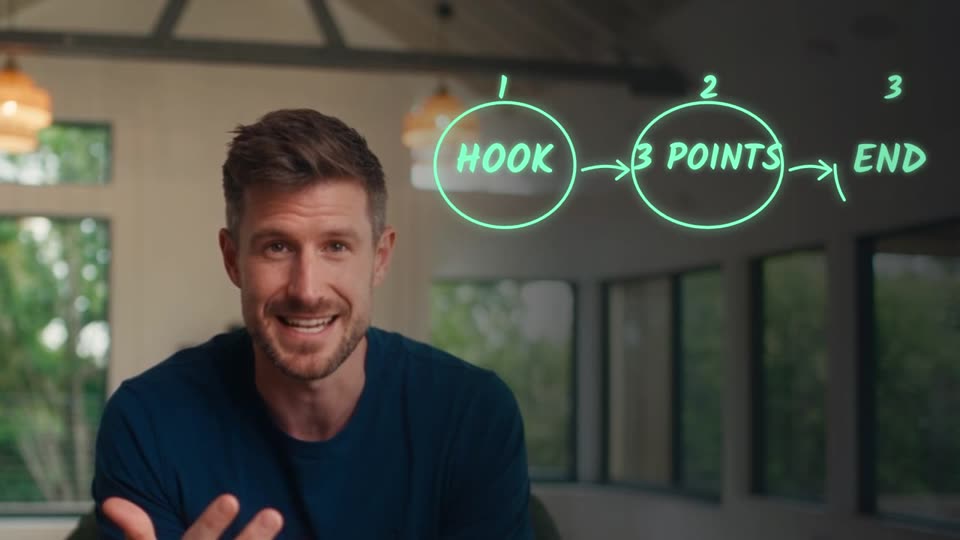 PandaStudio
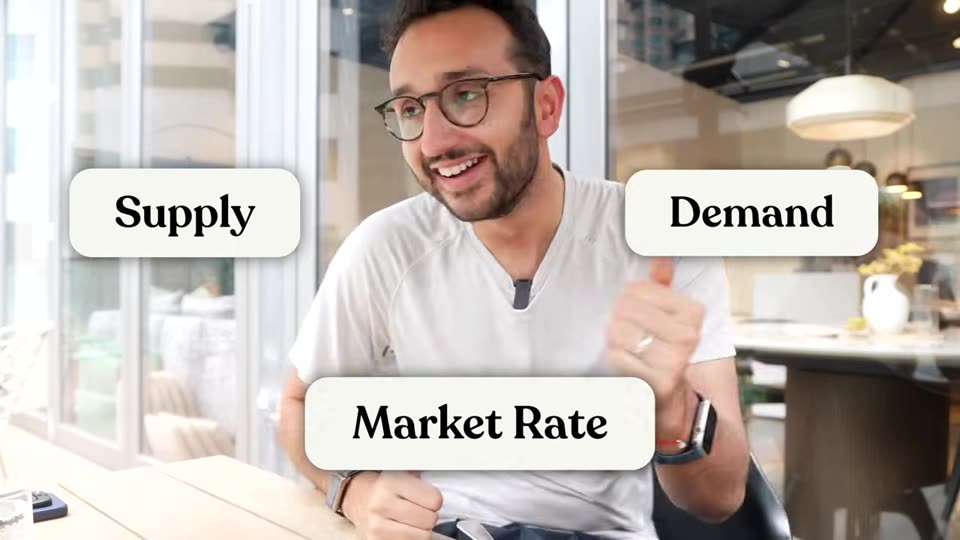 Ali Abdaal
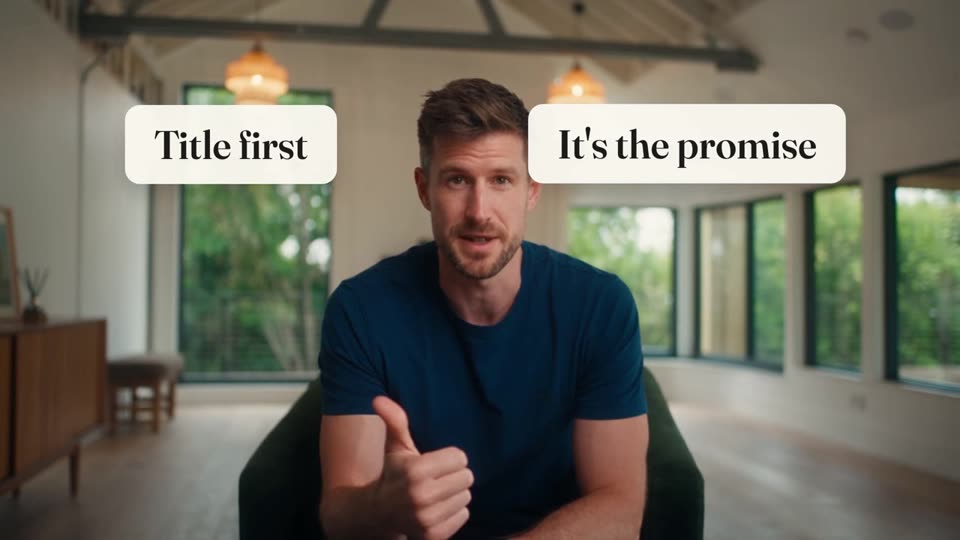 PandaStudio
Frames from Ali Abdaal's video are shown for comparison and credited to him. PandaStudio is not affiliated with or endorsed by Ali Abdaal.
From raw recording to published video in three steps
- Step 1
Record or bring footage
Record your screen and camera, a remote podcast, or drop in a video you already have. For faceless videos, just type an idea or paste your script.
- Step 2
Pick a recipe or say what you want
Choose a style, or tell the AI agent in plain words: cut the rambling, add captions, zoom on the key moments, make it a Short.
- Step 3
Review, tweak, publish
Fix anything by editing the transcript like a document, then export in up to 4K or publish straight to YouTube.
Built for people who make videos, not people who love editing them
YouTubers
Talking head or screen tutorial: cut the ums and dead air, add captions, zooms and chapters, and package the title and thumbnail.
Podcasters
Record remote guests locally in full quality, edit by transcript, then turn the best moments into Shorts.
Faceless channels
Give it an idea or your own script. It writes or narrates, generates an image for every beat, and builds the video.
Course and product creators
Lessons with chapters and lower thirds, product demos with zooms and sound effects, launch videos from your website.
Try it monthly, or own it forever
Start with 10 free exports, no card needed. Every plan includes the full editor and the AI agent; Pro, Creator and Team also publish straight to social. 30-day money-back guarantee.
Pro Monthly
Try everything, cancel anytime
billed monthly, cancel anytime
- 1 device
- 1 workspace
- Publish to Instagram, TikTok, Facebook, LinkedIn and X
- Every recipe and the AI agent
- Record screen, camera and remote podcasts
- Edit by transcript, remove fillers and silences
- Captions, motion graphics, color and zooms
- Export up to 4K, publish to YouTube
- CLI and MCP for Claude, ChatGPT and Codex
Lifetime Starter
One computer, forever
one-time
- 1 device
- 1 workspace
- Every recipe and the AI agent
- Record screen, camera and remote podcasts
- Edit by transcript, remove fillers and silences
- Captions, motion graphics, color and zooms
- Export up to 4K, publish to YouTube
- CLI and MCP for Claude, ChatGPT and Codex
- Free updates for life
Lifetime Creator
Multiple channels or machines
one-time
- Up to 3 devices
- Up to 3 workspaces
- Publish to Instagram, TikTok, Facebook, LinkedIn and X
- Priority support
- Every recipe and the AI agent
- Record screen, camera and remote podcasts
- Edit by transcript, remove fillers and silences
- Captions, motion graphics, color and zooms
- Export up to 4K, publish to YouTube
- CLI and MCP for Claude, ChatGPT and Codex
- Free updates for life
Lifetime Team
For teams and studios
one-time
- 5 devices
- Unlimited workspaces
- Publish to Instagram, TikTok, Facebook, LinkedIn and X
- Priority support
- Every recipe and the AI agent
- Record screen, camera and remote podcasts
- Edit by transcript, remove fillers and silences
- Captions, motion graphics, color and zooms
- Export up to 4K, publish to YouTube
- CLI and MCP for Claude, ChatGPT and Codex
- Free updates for life
AI features run on your own ChatGPT, Claude or other AI account, with no markup from us. Team buyers also get FounderKit.club for $199 (normally $699).
PandaStudio at a glance
- PandaStudio by WritePanda is a desktop video editor for macOS and Windows.
- Recording, transcription and editing run on your computer.
- Edit video and audio-only podcasts by deleting transcript text.
- Record your screen and camera; add captions, zooms and motion graphics.
- Record remote podcasts with up to 3 guests from a browser link; each person is recorded locally.
- Stream a podcast live to YouTube, Facebook, LinkedIn, Twitch, X or custom RTMP at once while it records.
- Export podcast audio as MP3, WAV or M4A at podcast loudness, or as an audiogram video.
- Turn long recordings into vertical Shorts with the AI clip maker.
- Claude, ChatGPT/Codex and other agents can control editing through MCP and a CLI.
- Choose Pro Monthly at $19/month or a lifetime license: Starter $99, Creator $199 or Team $499 (USD).
Built by Sanklad Digital Ltd., a company incorporated in England and Wales. About WritePanda · Podcast recording · Plans and pricing
Switching from another tool?
See how PandaStudio compares on pricing, features, and where each one genuinely wins.
Guides & tutorials
Practical playbooks for recording, editing, and growing your channel with PandaStudio.
Questions, answered.
Is there a free trial?
Yes. Download free and get 10 exports with every editing feature, including connecting ChatGPT, Claude or Codex to edit for you. Trial exports carry a small watermark. No card needed. Publishing straight to Instagram, TikTok and other platforms comes with Pro, Creator and Team.
Monthly or lifetime: which should I pick?
Pro Monthly is $19 a month for one computer and you can cancel anytime from the app. A lifetime license is a one-time payment starting at $99 with free updates for life, so it pays for itself in about five months. Every plan unlocks the full editor and AI agent; publishing to Instagram, TikTok, Facebook, LinkedIn and X comes with Pro and the Creator and Team lifetime plans, not Starter.
Can I get a refund if I don't like it?
Absolutely. We offer a no-questions-asked refund policy. You can request a full refund within 30 days of purchase by sending an email to kamal@writepanda.ai
How is PandaStudio different from other screen recorders?
It is a full studio, not just a recorder. Record your screen, camera, or a podcast, then edit by transcript, add captions, zooms, and motion graphics, and publish, all in one app. You can even drive the whole editor with your own AI agent (Claude, ChatGPT, and more). And it runs on both Mac and Windows, not Mac only.
Does my footage leave my machine?
Recording, transcription and editing run on your computer. Remote-podcast guest tracks transfer peer-to-peer. AI-provider features use your own external account, and publishing sends content to the destination you choose.
Can I record my screen, camera, and audio together?
Yes. Capture your screen, camera, microphone, and system audio at the same time, and reposition or resize the camera while you edit. You can also record multi-person podcasts with each guest captured locally in full quality, and stream them live while they record.
Can I export in 4K?
Yes. Export local MP4 files up to 4K, plus vertical cuts for Shorts, Reels, and TikTok. You can also publish straight to YouTube and Instagram from inside the app.
Which AI do I need?
Your own. Connect your ChatGPT, Claude, Gemini, or Kimi account for titles, thumbnails, and edit-by-asking. You pay your provider directly, with no AI markup from us.
Mac and Windows?
Both. Native builds for macOS (Apple Silicon and Intel) and Windows.
What are the system requirements?
macOS 12 (Monterey) or newer, or Windows 10/11 (64-bit). Both Apple Silicon and Intel Macs work. Because the AI models run on your machine, we recommend Apple Silicon or 16GB+ RAM for smooth performance, and around 10GB of free disk while exporting longer videos.
Do you have an affiliate program?
Yes. Creators and educators earn 30% commission on every sale they refer. See writepanda.ai/affiliates to join.
Your next video, edited by tonight.
Download free and get 10 exports to try every recipe. Then $19 a month, or pay once from $99. Your footage, your AI, your machine.
v2.1.38 · no card required · 10 free exports
macOS 12+ or Windows 10/11 · Apple Silicon or 16GB+ RAM recommended · ~10GB free disk
Featured on
