Podcast recording and editing
Record a remote podcast, then edit and clip it in the same app
Send up to three guests a browser link. PandaStudio records every person on their own computer, so a shaky connection never ends up in your episode, and the guest files arrive peer-to-peer instead of through a cloud. When you stop, the whole conversation opens in a desktop editor: cut by transcript, clean the voices, pick layouts, make clips and export the episode as video or MP3.
Pay once from $99, or $19 a month. Try it with 10 free exports, no card. Mac and Windows.
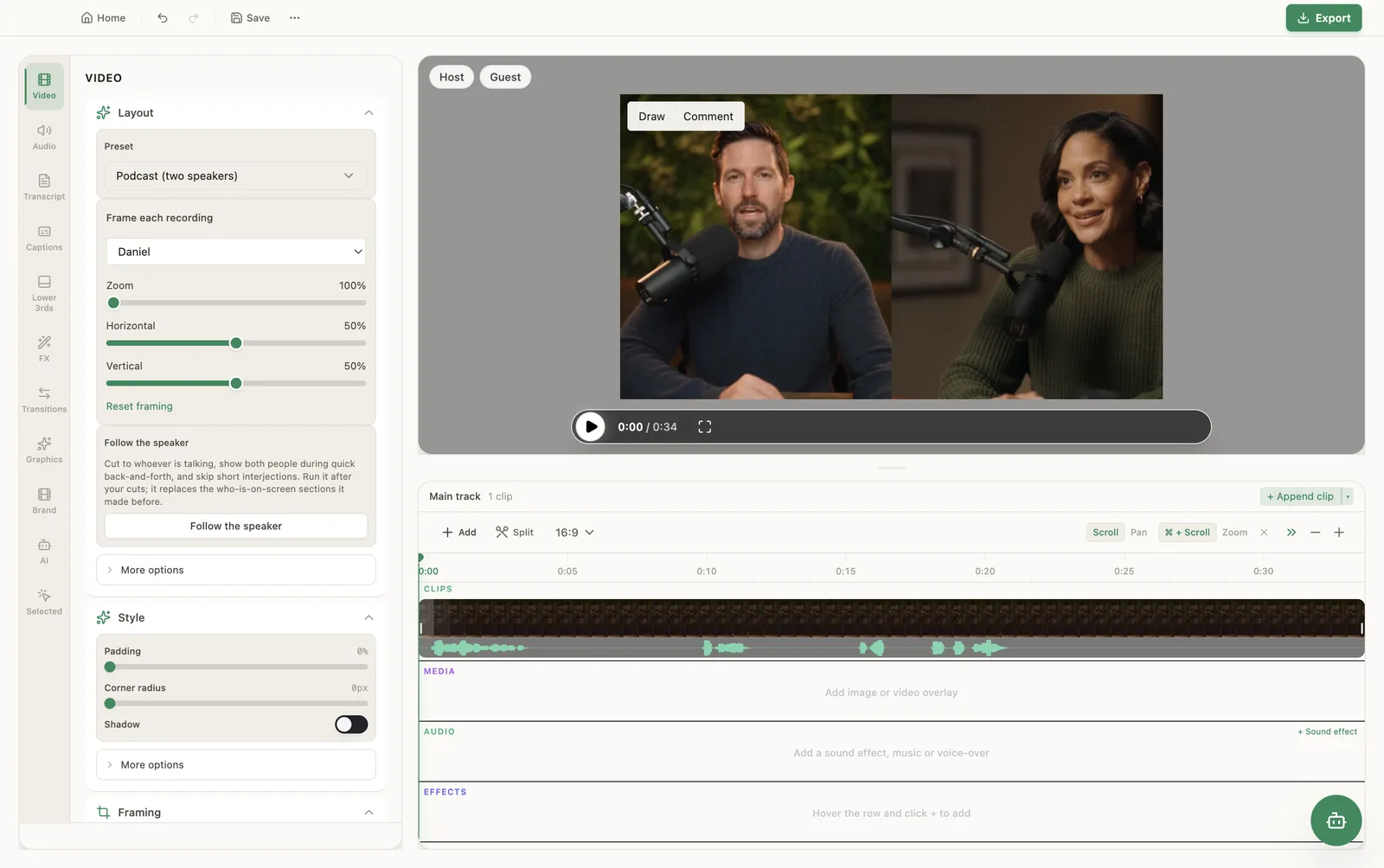
PandaStudio podcast recording at a glance
| People per session | You plus up to 3 guests |
|---|---|
| How guests join | A browser link (join.writepanda.ai), no install or account |
| Where it records | Locally on every person's computer, camera and mic |
| Guest video | Up to 1080p at 30 fps |
| How guest files arrive | Peer-to-peer during the call, not through our servers |
| Editing | Transcript per speaker, layouts, Follow the speaker, Enhance voice, captions |
| Audio export | MP3, WAV or M4A with podcast loudness, tags and cover art |
| Clips | Captioned vertical clips found and framed on your computer |
| Price | Free trial (10 exports), then $19/month or lifetime from $99 |
| Runs on | macOS 12+ and Windows 10/11 (the host); any modern browser for guests |
1. Record: everyone on their own computer
On the home screen choose Record podcast. PandaStudio creates a session and a guest link. You can create the link today and record later.
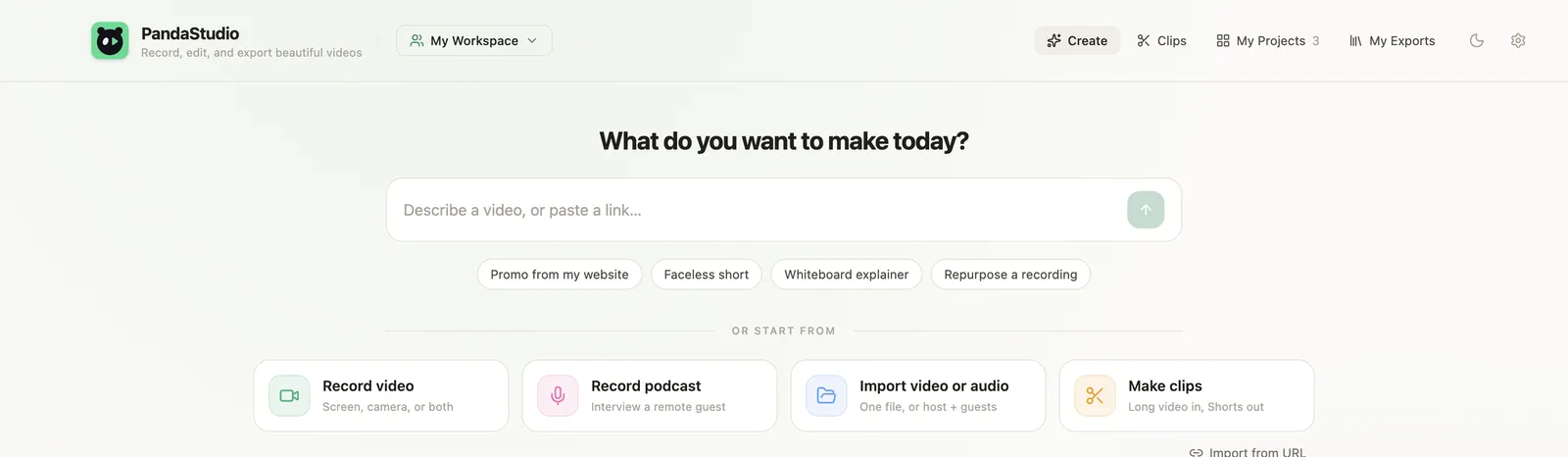

- Guests open the link in a browser, pick a camera and microphone, and join. No install, no account.
- You start and stop the recording for everyone with one button, so all tracks begin together.
- Each person records their camera and microphone locally. Only the microphone is recorded, never system audio, so each track holds one voice.
- A weak connection lowers the live preview only. The recording itself is unaffected.
- Guest files stream to you peer-to-peer while you talk, so there is little to wait for when you stop. If a transfer fails, the guest keeps the file with Retry and Download.
- You or any guest can share a screen. It is recorded on its own track with the right timing.
2. Edit: the transcript knows who said what
Every person is transcribed separately on your computer and merged with speaker labels. Delete words to cut them from the audio and video. Remove filler words and pauses in one click; on a multi-person recording, pause removal only trims moments when nobody is talking.
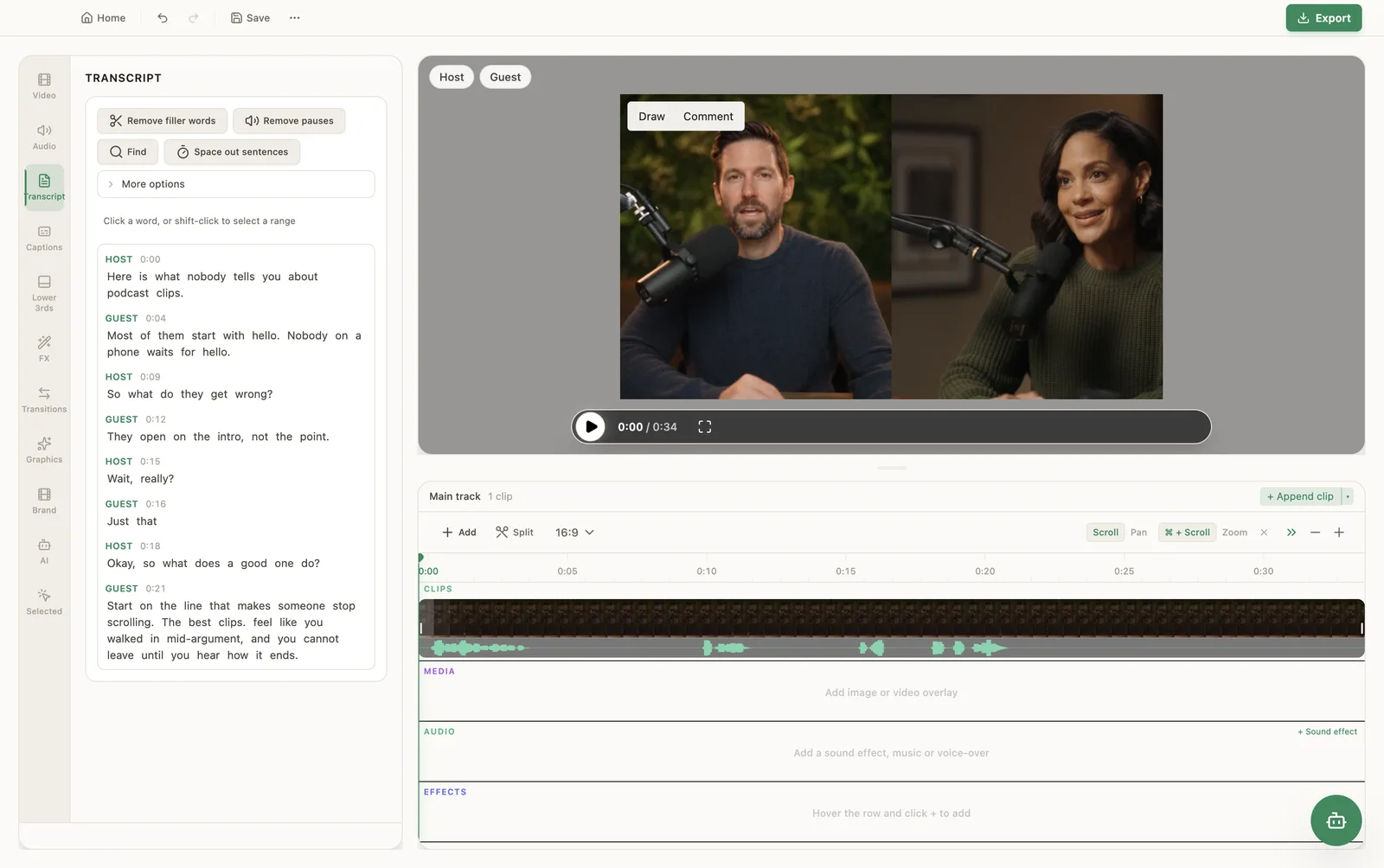
For video episodes, choose a layout per section: one person, a pair, a grid of everyone, or a screen-share view, and pick which guests appear. Or press Follow the speaker and PandaStudio cuts to whoever is talking, shows both people during quick back-and-forth, and skips short interjections.
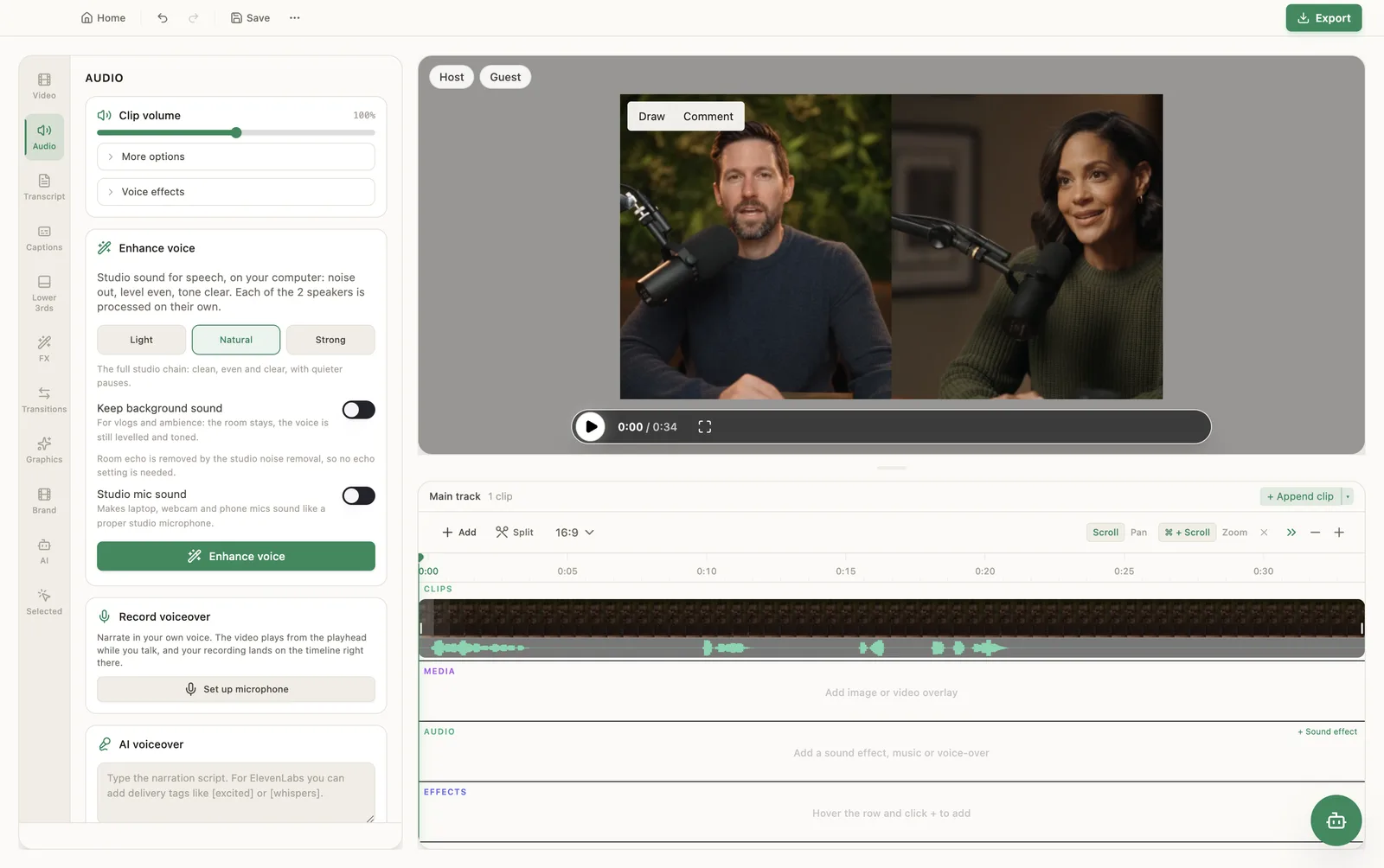
Enhance voice runs on your computer: noise out, level even, tone clear, with Light, Natural and Strong settings. Each speaker is processed on their own, and a Keep background sound switch helps when the room is part of the show.
3. Export: video for YouTube, MP3 for your feed
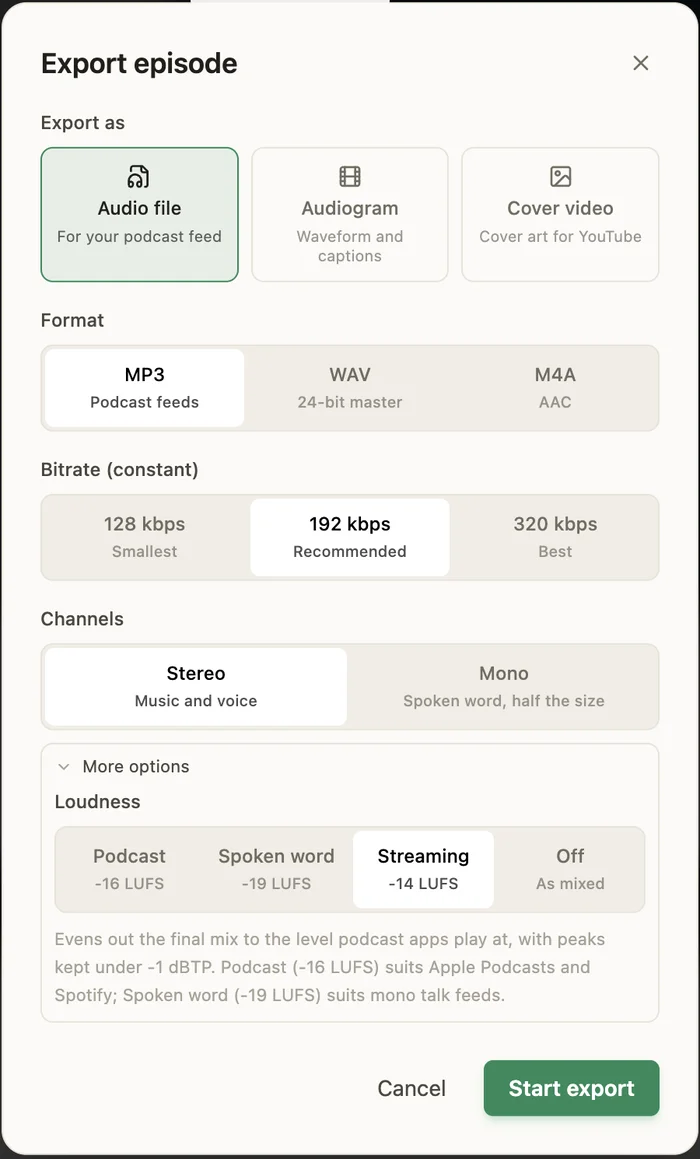
Video episodes export as MP4 up to 4K and can be published to YouTube from the app. Audio-only episodes open a dedicated Export episode dialog:
- MP3 at 128, 192 or 320 kbps, WAV 24-bit, or M4A (AAC), stereo or mono.
- Loudness: Podcast (-16 LUFS), Spoken word (-19 LUFS), Streaming (-14 LUFS) or Off.
- Episode tags and cover art embedded in the file.
- An audiogram (waveform and captions) or a cover-art video for YouTube.
PandaStudio does not host podcasts. Upload the MP3 to your hosting provider as usual.
4. Clip: Shorts from the episode, on your computer
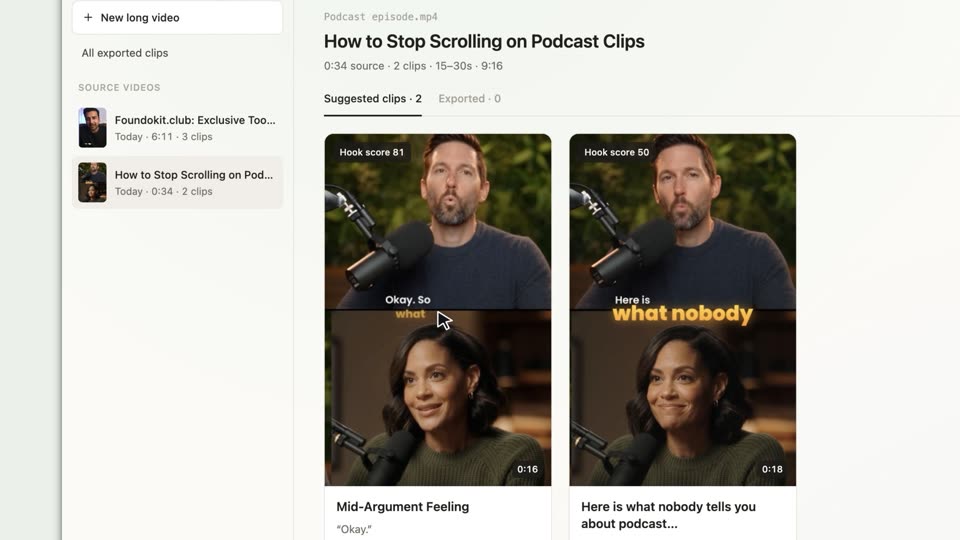
Drop the episode into the Clips tab. PandaStudio finds standalone moments, makes each one a captioned vertical clip framed on the speaker, and gives it a title and a 0 to 100 hook score. When two people share one wide shot, the clip stacks them one above the other. There are no credits or upload limits because the work runs on your machine.
Record your next episode with PandaStudio
Download the app, start a session and send a guest the link. Recording is included in every plan.
Pay once from $99, or $19 a month. Try it with 10 free exports, no card. Mac and Windows.
When another tool is the better choice
PandaStudio is built for interviews and small panels that you edit yourself. Pick something else if:
- You need more than three remote guests, 4K from every guest, or mobile apps for recording. Riverside and Zencastr cover those. See PandaStudio vs Riverside.
- You stream live to YouTube or LinkedIn while you record. StreamYard and Riverside are built for that.
- You want hosting, RSS and analytics in the same product. PandaStudio exports files; it does not host.
- Your producers review and comment in the cloud. Descript's shared projects suit that better.
Let an AI agent run the session or the edit
The podcast tools are available to the built-in agent and to Claude, Codex or ChatGPT through PandaStudio's MCP server and CLI: open a host session, start and stop recording, share a screen, then cut the episode, follow the speaker and export. See agentic video editing and the Claude Code tutorial.
Questions
How many guests can I record with PandaStudio?
Up to three remote guests plus you as the host, so four people in one session. Each person is recorded on their own computer and lands in the same podcast project with their own track and transcript.
Do my guests need to install anything or create an account?
No. You send a join.writepanda.ai link and the guest opens it in a browser, picks a camera and microphone, and joins. Only the host needs the PandaStudio desktop app.
What happens if a guest's internet drops during the recording?
The recording is made on the guest's computer, so a weak connection lowers only the live preview, not the recorded file. The guest's file streams to you during the call. If a transfer fails, the recording stays on the guest's computer with Retry and Download options.
Is my recording uploaded to a cloud service?
No. Guest recordings travel peer-to-peer to the host. Our server only helps the two computers find each other; a relay is used for the low-bitrate live preview when a firewall blocks a direct connection, never for the recordings.
Can I edit an audio-only podcast?
Yes. Open MP3, WAV or M4A files directly (several at once become separate speakers), edit by transcript, and export MP3, WAV or M4A at podcast loudness with episode tags and cover art, or an audiogram video.
I already record in Zoom or Riverside. Can I still use PandaStudio?
Yes. Choose Import video or audio and add the host and guest files together. PandaStudio lines them up by their audio, transcribes each speaker and gives you the same podcast editor.
Does PandaStudio host my podcast or publish to Apple Podcasts and Spotify?
No. PandaStudio is not a podcast host. Export the MP3 and upload it to your hosting provider, which distributes it to Apple Podcasts and Spotify. Video episodes can be published to YouTube from the app.