How to make a Star Wars-style opening crawl for your video
An opening crawl is a title and a few paragraphs of yellow text that scroll up and away into a field of stars, shrinking as they go. To make one you need three things: a plane tilted back so the text recedes, real perspective so far lines get smaller, and a slow, even scroll. In PandaStudio that is one element called Story crawl: type your text, set Lean back to 60, and it is done, editable on your own timeline.
What makes a crawl look right
Most homemade crawls look off for one of three reasons. Here is what to get right:
- True perspective, not a squash. The text has to shrink as it moves away, and the lines have to get closer together. Squeezing the top of a flat text layer with a skew gives the wrong shape and the lines never recede. PandaStudio draws each word through a real camera projection, so the far lines are small and the near lines are large.
- A steep lean. Around 60 degrees gives the classic look: the text starts large at the bottom and disappears toward a point above the middle of the frame. Lower values look like end credits; higher values flatten the text onto the floor.
- Slow and steady. Viewers need to read it. Give a few short paragraphs 20 to 40 seconds and keep the speed even from start to finish.
Add a crawl to your video in PandaStudio
- Put a dark background on the timeline. A starfield clip is the classic choice, but black or your own footage works too.
- Move the playhead to where the crawl should start, open the Lower 3rds tab and click Story crawl under Live styles.
- In the Selected panel, type a Title and your Text. Leave a blank line between paragraphs. It takes up to 6,000 characters.
- Set Lean back (0 to 80 degrees) and Turn (-60 to 60 degrees), then type the Length in seconds. The text travels the whole way in that time.
- Under Look, set Size to XL, pick a heavy sans font and a yellow text colour. Press play: the preview is the same renderer the export uses.
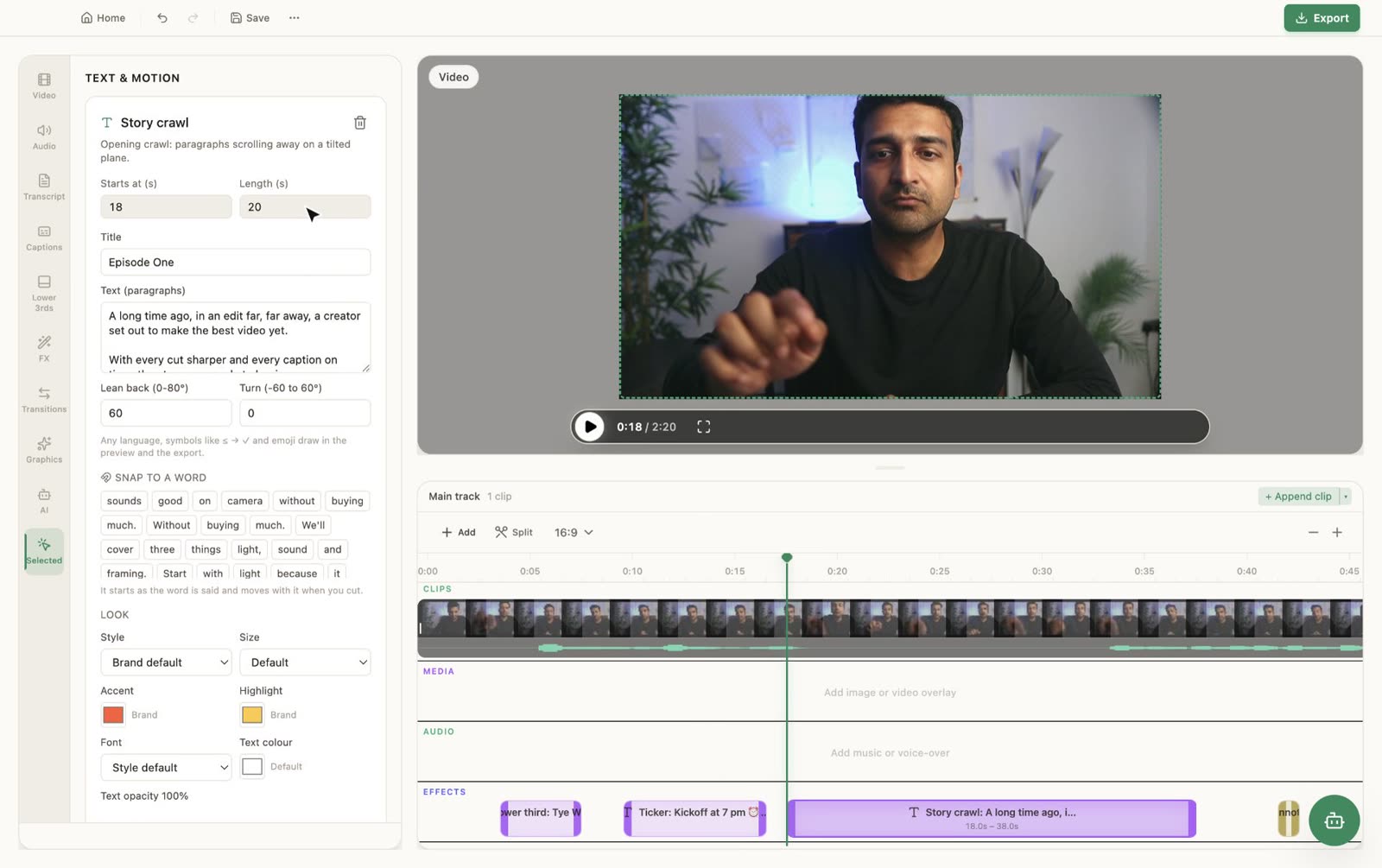
The settings, and what each one does
| Setting | Classic look | What it changes |
|---|---|---|
| Lean back | 60 | How far the plane tips away. 0 is a flat roll like credits. |
| Turn | 0 | Twists the plane left or right for an angled, off-centre crawl. |
| Length | 20 to 40 s | The time the text takes to travel all the way out. |
| Size | XL | Text size, from XS to XL. |
| Text colour | #FFD23F | Any colour; a warm yellow reads best on stars. |
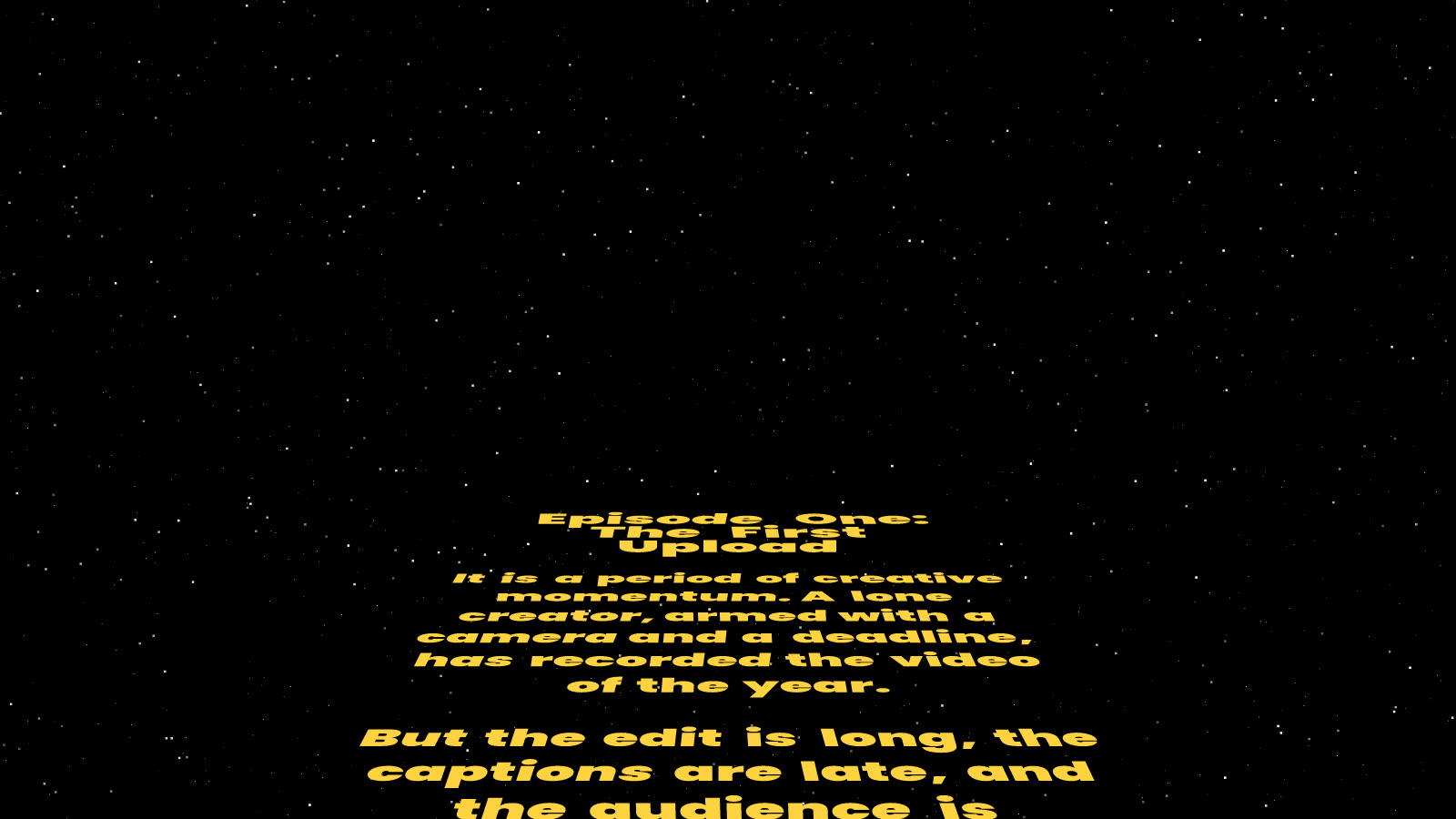
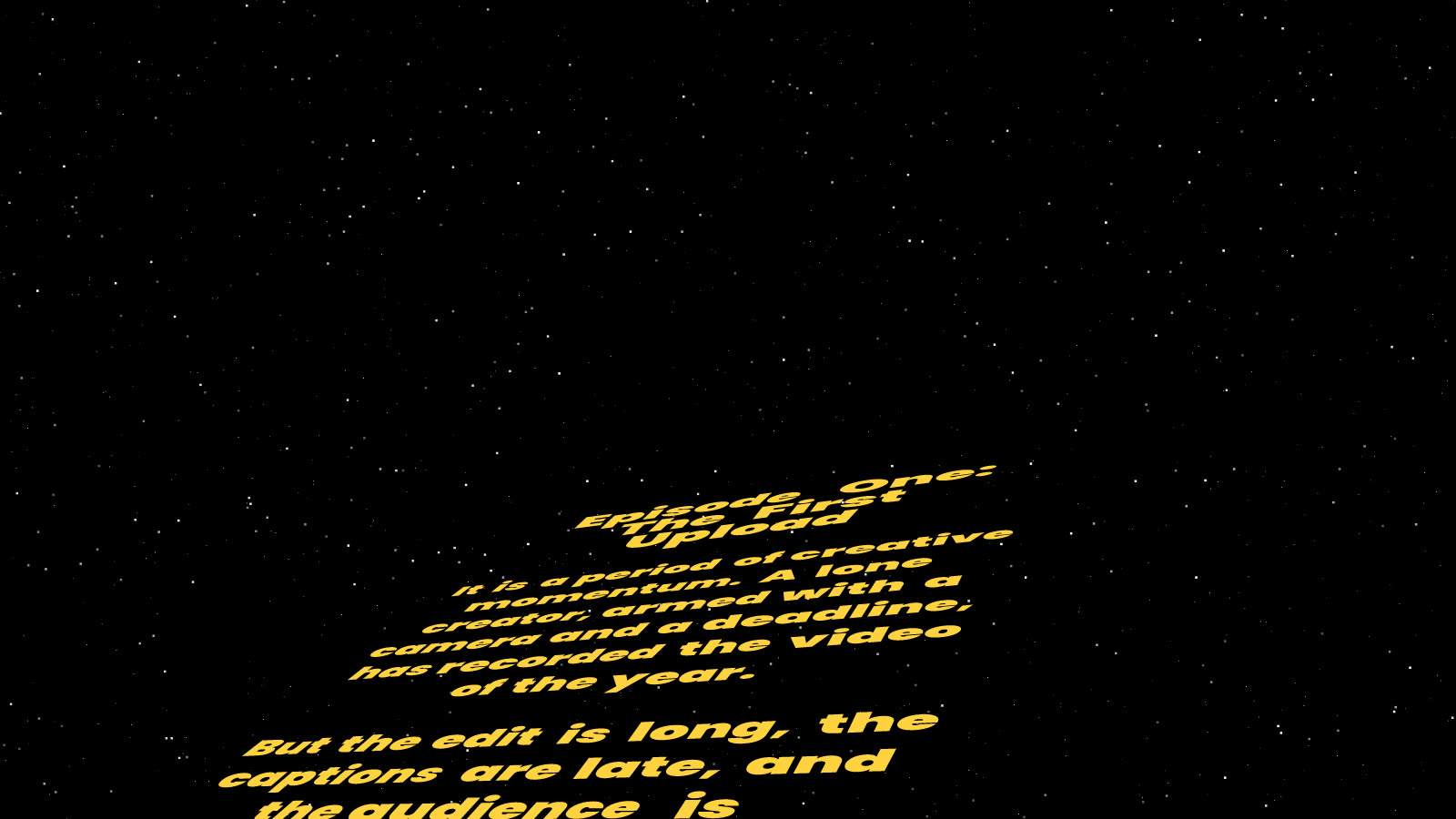
How to write the text
- Start with a short episode line and a title, then two or three short paragraphs. Long blocks become hard to read once they start shrinking.
- Write in the style of the genre: set the scene, name the conflict, end on what happens next, and trail off with an ellipsis.
- Make it about your own story. A channel anniversary, a product launch, a wedding video or a course intro all work: "It is a period of creative momentum. A lone creator, armed with a camera and a deadline..."
- Emoji and symbols render too, in colour, if the tone allows it.
Online crawl generators vs. doing it in your editor
Browser-based crawl generators are fine for a one-off. They render a separate clip that you download and then import into your editor, so fixing a typo means going back, rendering again and swapping the clip. A crawl made in the editor stays text on your timeline: change a word, the length or the angle, and the preview updates straight away. It also sits over any footage you like, not only the generator's background.
If you use an AI agent with PandaStudio, you can ask for it in plain words: "Open the video with a Star Wars-style crawl, title Episode One, these two paragraphs, 25 seconds, yellow text." The agent calls project.add-motion-element with type=crawl. The opening crawl help page has the exact command.
Related
- Add rolling end credits to close the same video.
- Add a scrolling news ticker.
- Style text graphics: font, size, colour, opacity and exact timing.
Star Wars is a trademark of Lucasfilm Ltd. PandaStudio is not affiliated with or endorsed by Lucasfilm. "Star Wars-style" describes the look; bring your own words and background, and don't use film footage, logos or music you don't have the rights to.
Make your own crawl
PandaStudio is a desktop video editor for Mac and Windows. The Story crawl is in version 2.0.7 and later, alongside the news ticker, rolling credits and typewriter lower thirds.
Download PandaStudio