Browse all docs
Add an animated background behind a screen recording
PandaStudio 2.1.41 and later has eight animated mesh gradient backgrounds for screen recordings, from Aurora to Graphite, with a Motion slider from still to twice the speed, and they loop smoothly however long the video is.
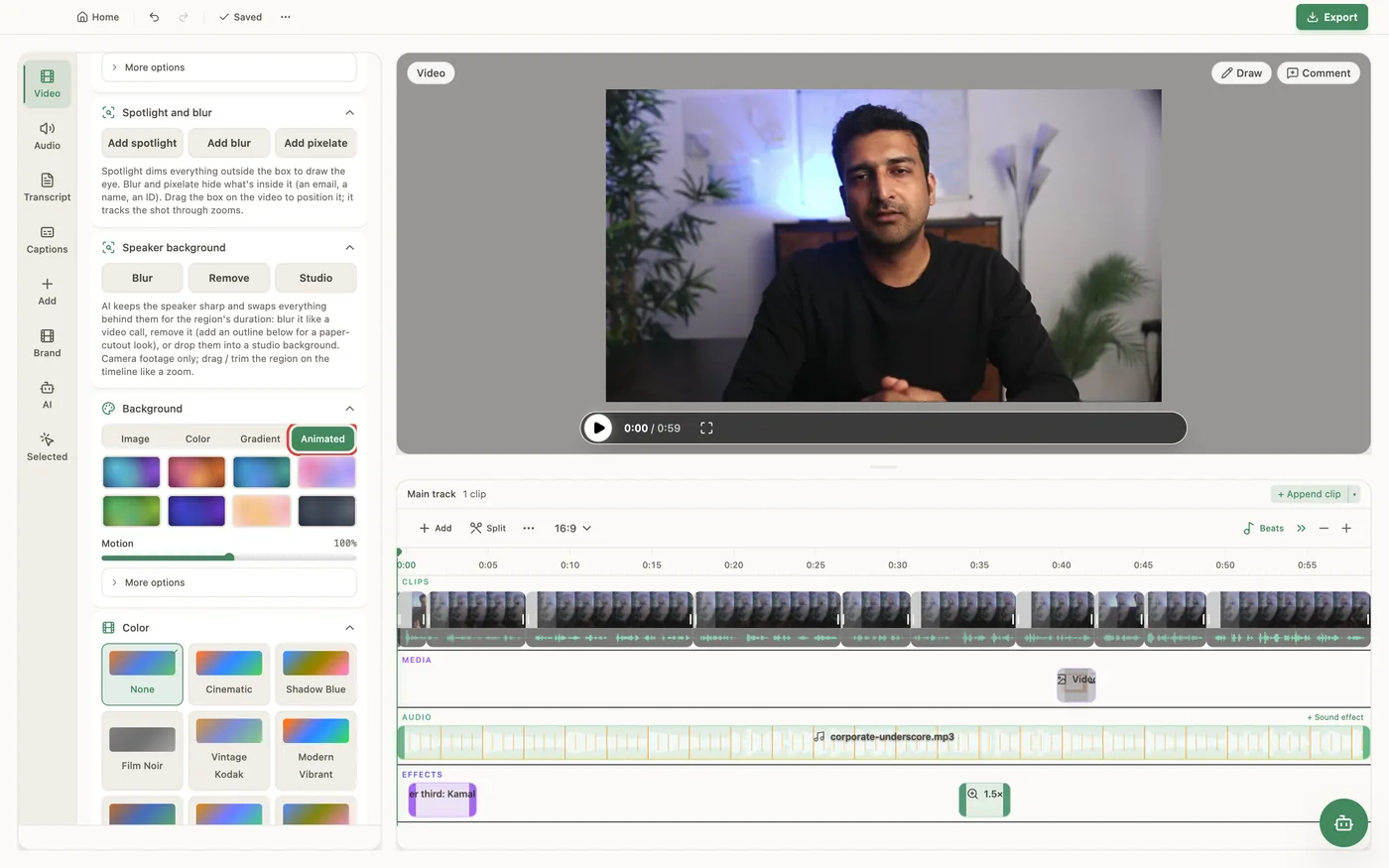
In PandaStudio 2.1.41 and later, the Background section of the Video tab has an Animated tab beside Image, Color and Gradient. It holds eight moving gradients: Aurora, Sunset, Ocean, Candy, Forest, Midnight, Peach and Graphite. Their colours drift slowly in a seamless 24 second loop, so there is no jump at any length. The Motion slider sets how fast they drift, from Still (0%) through 100% (the default) to 200%. The background shows around your video wherever it doesn't fill the frame, so give the video some Padding under Style first. It draws the same in the preview and the export, and it works with device frames and the 3D tilt. The other background choices are still there: an image (including your own desktop wallpaper), a solid colour, a gradient or Match video edges.
In the app
- 1Open the Video tab. Under Style, raise Padding so the background shows around the video.
- 2Open Background and choose Animated.
- 3Click one of the eight presets: Aurora, Sunset, Ocean, Candy, Forest, Midnight, Peach or Graphite.
- 4Drag Motion to set the speed: all the way left for Still, up to 200% for twice as fast.
- 5To keep it for new projects, click Save as default for new projects.
Ask the AI
Open the AI chat in the editor and say any of these. The agent does the edits for you.
CLI & MCP
Every capability is a verb, reachable from the terminal or from an MCP agent (Claude Code, Cursor, Cline, Continue, Claude Desktop).
pandastudio project.set-wallpaper --id=$ID --wallpaper=mesh:aurora --motion=0.5
Animated ids: mesh:aurora, mesh:sunset, mesh:ocean, mesh:candy, mesh:forest, mesh:midnight, mesh:peach, mesh:graphite. motion 0-2 (0 still, 1 default) and is kept when omitted.
pandastudio project.set-style --id=$ID --padding=60
Padding makes room for the background around the video.