Browse all docs
Add a device frame and 3D tilt to a screen recording
PandaStudio 2.1.41 and later puts a screen recording inside a browser window, Mac window, laptop, phone or tablet frame, and can turn it in 3D, lean it toward the cursor and bounce it on each click.
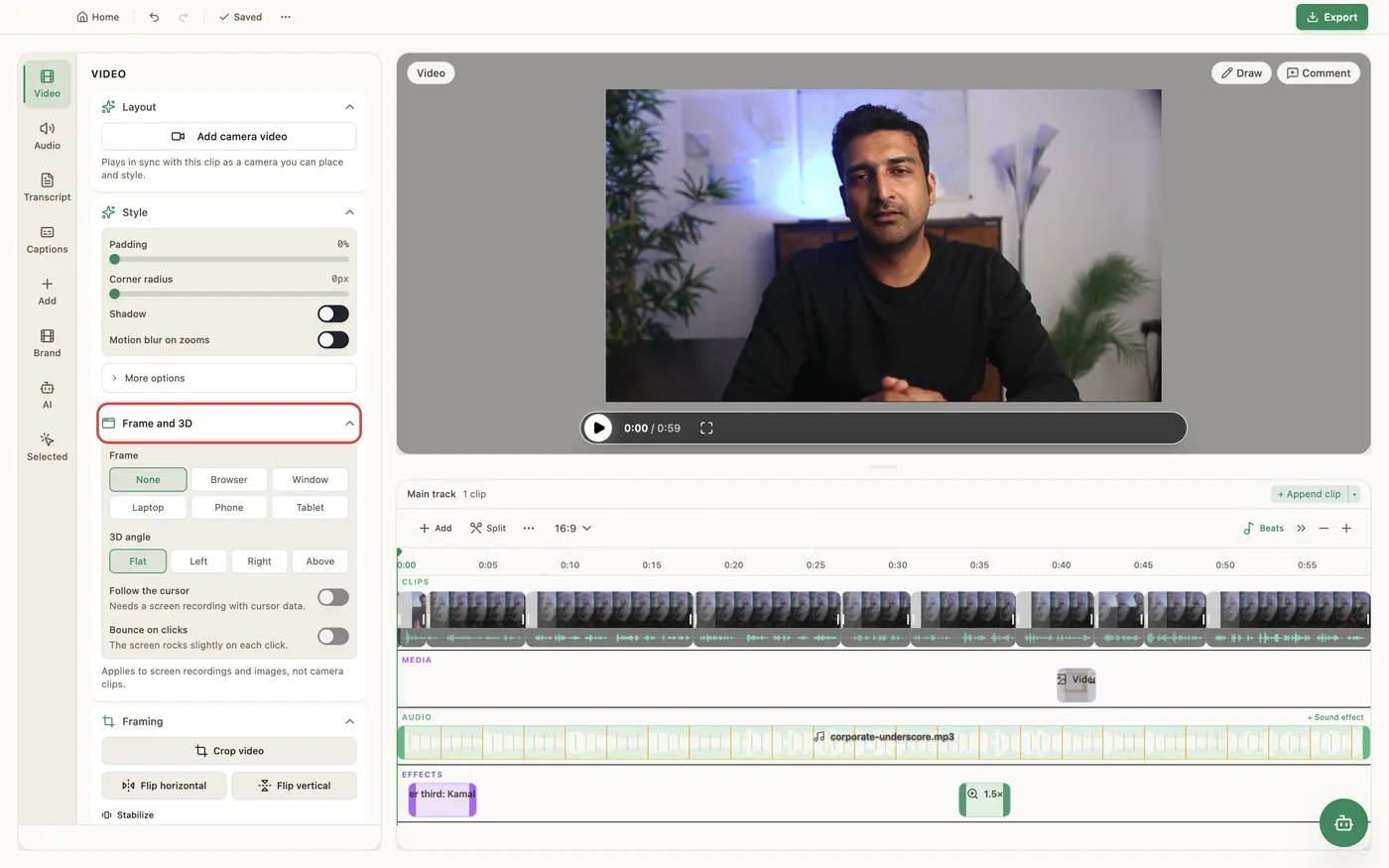
In the Video tab, the Frame and 3D section has two parts. Frame picks None, Browser, Window, Laptop, Phone or Tablet. The browser frame shows an Address you type (such as yourproduct.com), the window frame shows a Title, and Dark switches the frame between light and dark. The video shrinks to fit inside the frame, and zooms and the cursor stay inside it. 3D angle turns the screen: Flat, Left (the left edge goes back), Right, or Above (seen from above, like a laptop on a desk). Follow the cursor makes the screen lean toward where the cursor is, and Bounce on clicks rocks it slightly on each click; both need a screen recording made in PandaStudio with cursor data. Strength tones the angles down. The tilt eases off as a zoom pushes in, and the frame, cursor and drop shadow tilt with the screen. It applies to screen recordings and images, not camera or podcast clips, and the preview and the export match. Needs PandaStudio 2.1.41 or later.
In the app
- 1Select a screen recording and open the Video tab, then Frame and 3D.
- 2Under Frame, pick Browser, Window, Laptop, Phone or Tablet. Type an Address or Title, and turn on Dark for a dark frame.
- 3Under 3D angle, pick Left, Right or Above, or keep Flat.
- 4Turn on Follow the cursor and Bounce on clicks if you want the screen to move with the cursor, and use Strength to tone it down.
- 5Pick None under Frame and Flat under 3D angle to go back to a plain screen.
Ask the AI
Open the AI chat in the editor and say any of these. The agent does the edits for you.
CLI & MCP
Every capability is a verb, reachable from the terminal or from an MCP agent (Claude Code, Cursor, Cline, Continue, Claude Desktop).
pandastudio project.set-style --id=$ID --deviceFrame=browser --deviceFrameUrl=yourproduct.com --deviceFrameTheme=dark
deviceFrame is browser, window, laptop, phone, tablet or none. deviceFrameUrl is the address, or the window title for window.
pandastudio project.set-style --id=$ID --tilt=left --tiltFollowCursor=true --tiltClickBounce=true --tiltStrength=60
tilt is flat, left, right or above; tiltStrength 0 to 100 (default 100). Follow cursor and click bounce need cursor data.