Browse all docs
Reverse a video clip (play it backwards)
PandaStudio plays any part of a video backwards: add a speed change over the span and switch on Play backwards, and that span rewinds in the same time it takes to play forwards.
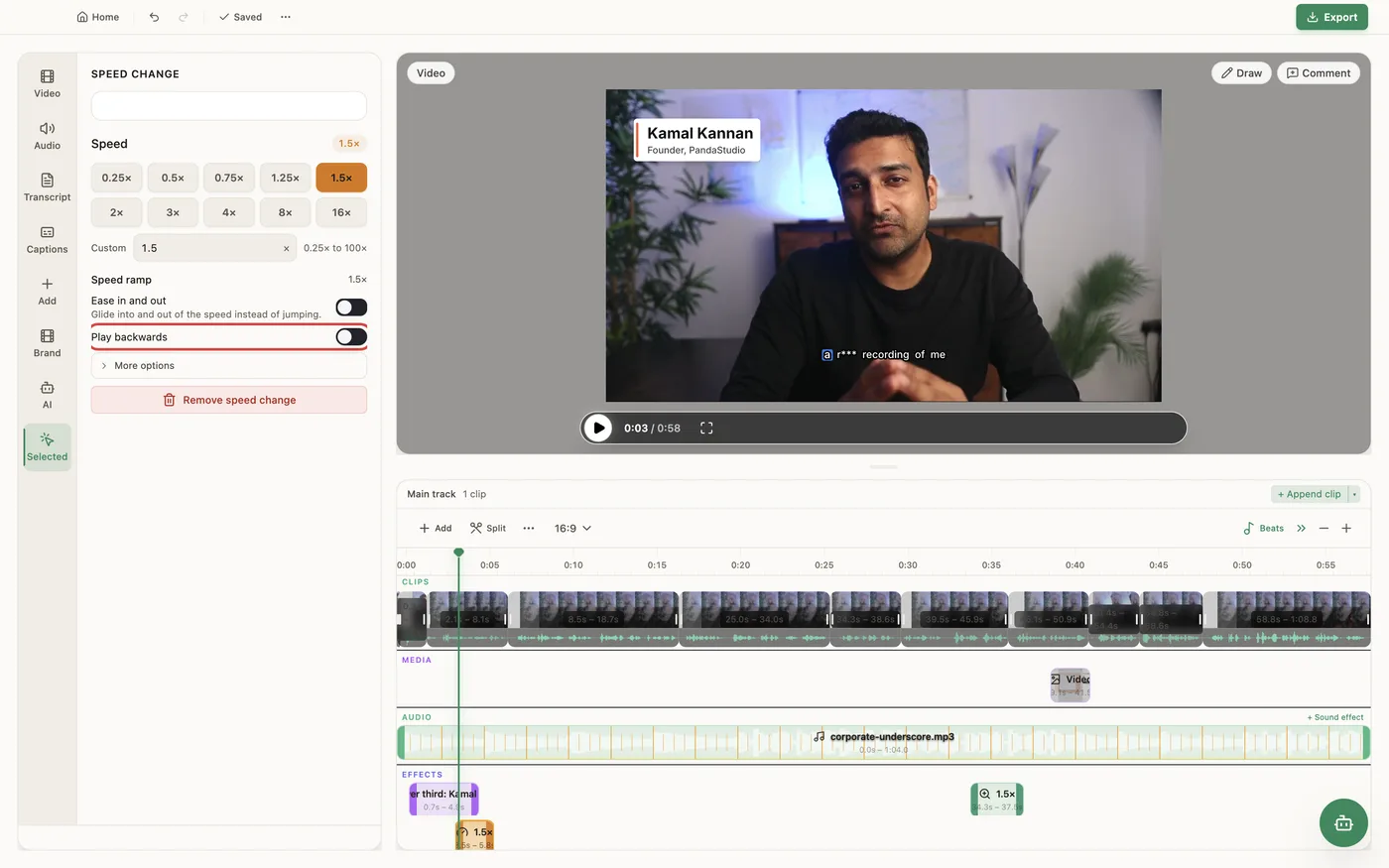
Reverse is a setting on a speed change. Add one from Add on the timeline toolbar (Speed up or slow down), drag it over the part you want to rewind, and switch on Play backwards in the Speed change panel. The span plays backwards in its own slot on the timeline at the speed you pick, so 1× rewinds at normal speed and 2× is a fast rewind. The recording's sound is silent there by default; under More options, Sound when reversed switches between Silent and Reversed (the audio plays backwards too). Reversed playback is constant speed, so Ease in and out is off while Play backwards is on. A reversed span must be at least 100 ms long and can't overlap another speed change, ramp or freeze frame. It reverses the main video on the timeline, not a single overlay. The preview and the export play the same frames.
In the app
- 1Click Add on the timeline toolbar and choose Speed up or slow down.
- 2Drag the speed change's edges over the part to play backwards.
- 3In the Speed change panel, switch on Play backwards.
- 4Pick the speed for the rewind, such as 2× for a fast rewind.
- 5To hear the audio backwards, open More options and set Sound when reversed to Reversed.
Ask the AI
Open the AI chat in the editor and say any of these. The agent does the edits for you.
CLI & MCP
Every capability is a verb, reachable from the terminal or from an MCP agent (Claude Code, Cursor, Cline, Continue, Claude Desktop).
pandastudio project.add-reverse --id=$ID --startMs=20000 --endMs=24000 --speed=2
startMs and endMs are SOURCE ms; or pass atMs and durationMs in edited ms. --audio=reverse plays the sound backwards (default mute). Returns regionId.
pandastudio project.update-region --id=$ID --regionType=speed --regionId=$REGION --reverseAudio=reverse
Change speed, reverse or reverseAudio later. Remove with project.remove-region --regionType=speed.