Browse all docs
Transcribe a video or audio file to text offline
PandaStudio transcribes video and audio to word-timed text on your own computer for free, with Parakeet (25 languages, auto-detected) or Whisper locked to a chosen language, and offers Apple's on-device speech or Deepgram and ElevenLabs in the cloud as options.
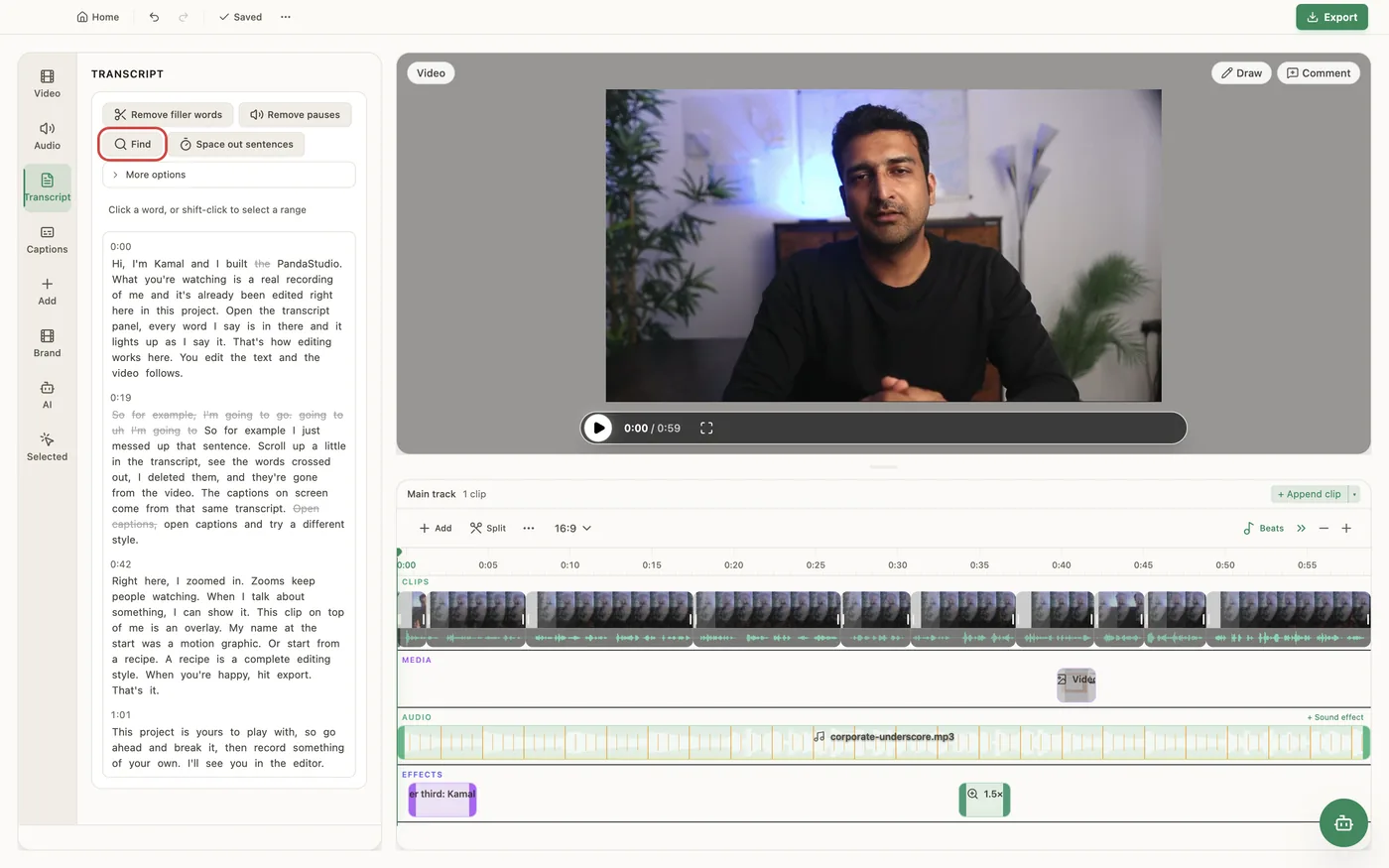
Recordings made in PandaStudio are transcribed when you stop; for imported files, open the Transcript tab and click Transcribe. By default everything runs on your computer: nothing is uploaded and it costs nothing. With the language on Auto (or English), Parakeet transcribes and detects the language across 25 languages (Bulgarian, Croatian, Czech, Danish, Dutch, English, Estonian, Finnish, French, German, Greek, Hungarian, Italian, Latvian, Lithuanian, Maltese, Polish, Portuguese, Romanian, Russian, Slovak, Slovenian, Spanish, Swedish and Ukrainian) and keeps filler words, so filler removal can find them. Choose another language and Whisper large-v3-turbo transcribes locked to it, so French stays French; it also covers Chinese, Japanese, Korean, Hindi, Arabic, Thai, Tamil, Telugu, Kannada, Malayalam, Bengali, Marathi, Gujarati and Punjabi. Whisper needs a one-time download of about 550 MB, then works offline. On a Mac you can opt in to Apple speech on this Mac: on macOS 26 with Apple silicon it is several times faster for English, German, Spanish, French, Italian, Portuguese, Chinese, Japanese and Korean but keeps fewer filler words. For languages the on-device models handle poorly, above all Tamil, Telugu, Kannada and Malayalam, you can choose Deepgram Nova-3 (your API key) or ElevenLabs Scribe (connect ElevenLabs): the audio is then sent to that provider and billed to your account with them, about a penny a minute. Transcribe again asks which language is spoken, suggests one with a quick on-device check, and keeps your word fixes where they still match. PandaStudio tells you how much audio it will transcribe and roughly how long it will take, shows progress, and saves long runs as it goes, so an interrupted transcription resumes where it stopped. Words are timed to the audio, so you can edit by deleting text. To get the text out, Copy transcript copies the edited transcript (deleted words left out) to the clipboard, and Subtitle files in the Captions tab saves .srt and .vtt files timed to the edited video. There is no separate .txt export; paste the copied text into any file.
In the app
- 1Import the video or audio file (or record in PandaStudio, which transcribes as soon as you stop).
- 2For a language other than English, open Settings > Transcription and choose it under Transcription language (download the Whisper model if asked). Change the provider there too if you want Apple speech or a cloud service.
- 3Open the Transcript tab and click Transcribe. The panel shows how much audio it is transcribing, the engine and the time left.
- 4Wrong language? Use Transcribe again, pick the spoken language and how to transcribe it, and click Transcribe.
- 5Click Copy transcript to copy the text, or in the Captions tab click Subtitle files to save .srt and .vtt files.
Ask the AI
Open the AI chat in the editor and say any of these. The agent does the edits for you.
CLI & MCP
Every capability is a verb, reachable from the terminal or from an MCP agent (Claude Code, Cursor, Cline, Continue, Claude Desktop).
pandastudio transcript.transcribe --id=$ID --language=french --force=true
Runs as a job (job.wait). Only clips without words are transcribed unless --force=true or --clipId. --provider=local | apple | deepgram | elevenlabs and --engine=auto | parakeet | whisper apply to this run only. --dryRun=true reports the engine, audio length and time estimate without transcribing.
pandastudio transcript.detect-language --id=$ID
Guesses the spoken language on your computer from up to 30 seconds of audio. Nothing is uploaded.
pandastudio system.set-transcription-language --language=german
auto (Parakeet) or a language name or ISO code. English is saved as auto. Any other language uses Whisper locked to it, which needs its model (system.download-whisper-model).
pandastudio system.set-transcription-provider --provider=deepgram
local (default), apple (Macs only), deepgram or elevenlabs. Apple and cloud need a named language, and cloud sends the audio to that provider.
pandastudio export.subtitles --id=$ID --format=both --grouping=lines
Writes .srt and .vtt files timed to the edited video. grouping=lines makes subtitle-sized lines for YouTube and players.