Browse all docs
Speed ramp a video
A speed ramp in PandaStudio changes the playback speed gradually instead of in one jump: switch on Ease in and out on a speed change, and the video glides from normal speed up (or down) to the speed you set and back again.
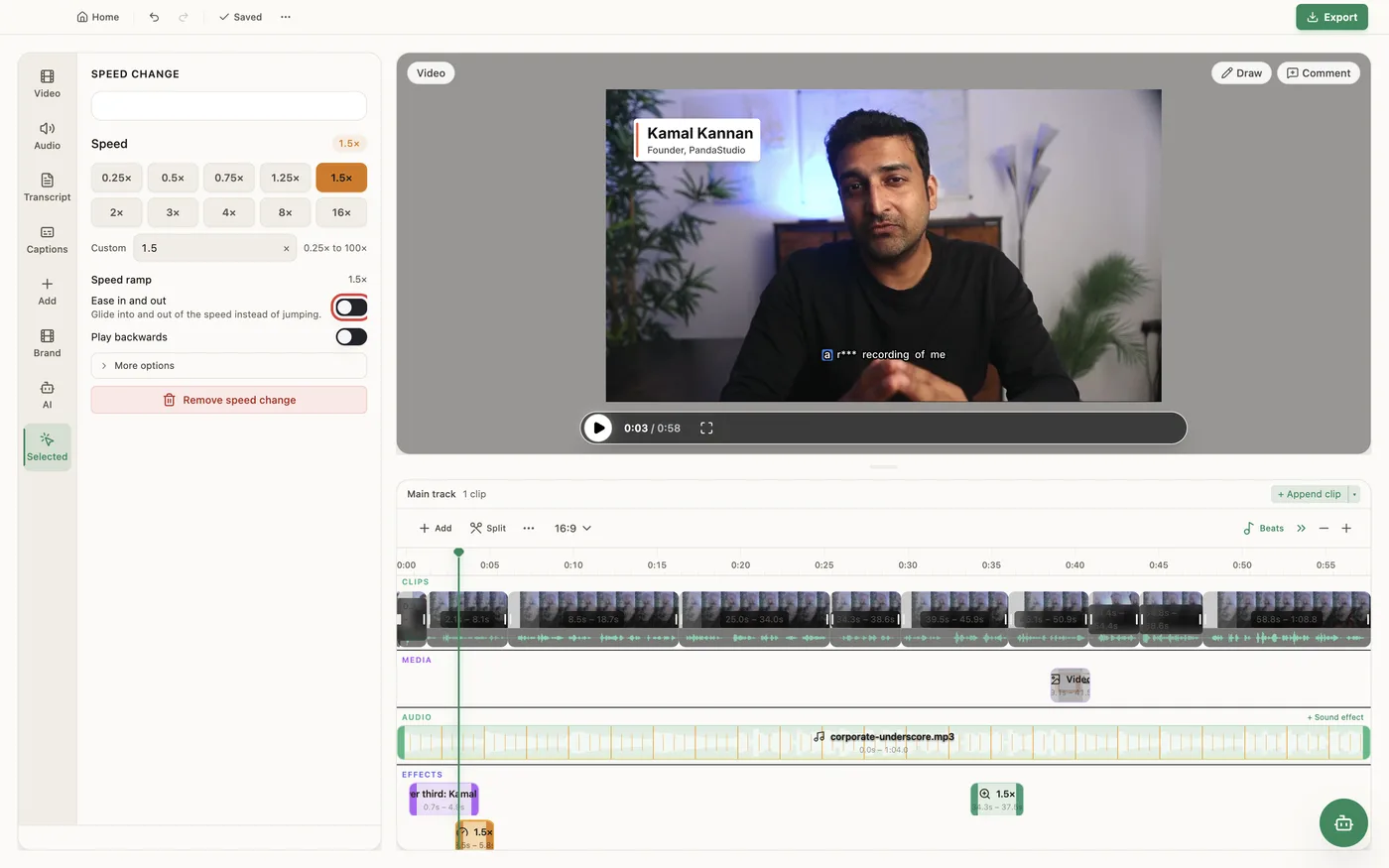
A speed ramp is a speed change with eased edges. Add a speed change from Add on the timeline toolbar (Speed up or slow down), pick its speed (0.25× to 16× from the buttons, or a custom speed from 0.25 to 100), then switch on Ease in and out to glide into and out of that speed. Under More options you can set Ease in and Ease out separately, each with its own Length (ms), Start speed or End speed, and Curve (Smooth, Slow start, Slow finish, Steady, Jump (no glide), Overshoot or Elastic). That covers both the classic ramp (1× up to 4× and back to 1×) and a one-way ramp, such as easing from 1× into an 8× timelapse, or from 4× down to land on a moment. Keep voice pitch is on by default, so voices keep their pitch at any speed; turn it off for a tape-style sound that drops when slow and rises when fast. Audio is muted above 4×, in the preview and the export. Ramp lengths count source time. Captions, the transcript and anything anchored to the video retime with it, and the export plays exactly what the preview shows. A ramp can't be combined with Play backwards on the same span: reversed playback is constant speed. For a plain constant speed change, see Speed up or slow down part of a video.
In the app
- 1Move the playhead to the moment, click Add on the timeline toolbar and choose Speed up or slow down.
- 2Drag the speed change's edges over the span to retime.
- 3In the Speed change panel, click a speed such as 4×, or type a custom one.
- 4Switch on Ease in and out to glide into and out of that speed.
- 5For different edges, open More options and set Ease in and Ease out: Length (ms), Start speed or End speed, and Curve.
- 6Leave Keep voice pitch on for natural voices, or turn it off for a tape-style effect.
Ask the AI
Open the AI chat in the editor and say any of these. The agent does the edits for you.
CLI & MCP
Every capability is a verb, reachable from the terminal or from an MCP agent (Claude Code, Cursor, Cline, Continue, Claude Desktop).
pandastudio project.add-speed-ramp --id=$ID --startMs=70000 --endMs=74000 --fromSpeed=1 --toSpeed=8 --easing=ease-in
A one-way ramp: speed eases from fromSpeed at startMs to toSpeed at endMs. Times are SOURCE ms (transcript time). Pitch is kept unless --preservePitch=false.
pandastudio project.add-speed --id=$ID --startMs=12000 --endMs=20000 --speed=4 --rampIn='{"durationMs":800}' --rampOut='{"durationMs":800}'The in-and-out ramp: 1x, ease up to the cruise speed, ease back to 1x. rampIn and rampOut take durationMs (source ms), speed (default 1) and easing.