Browse all docs
Put text behind a person in a video
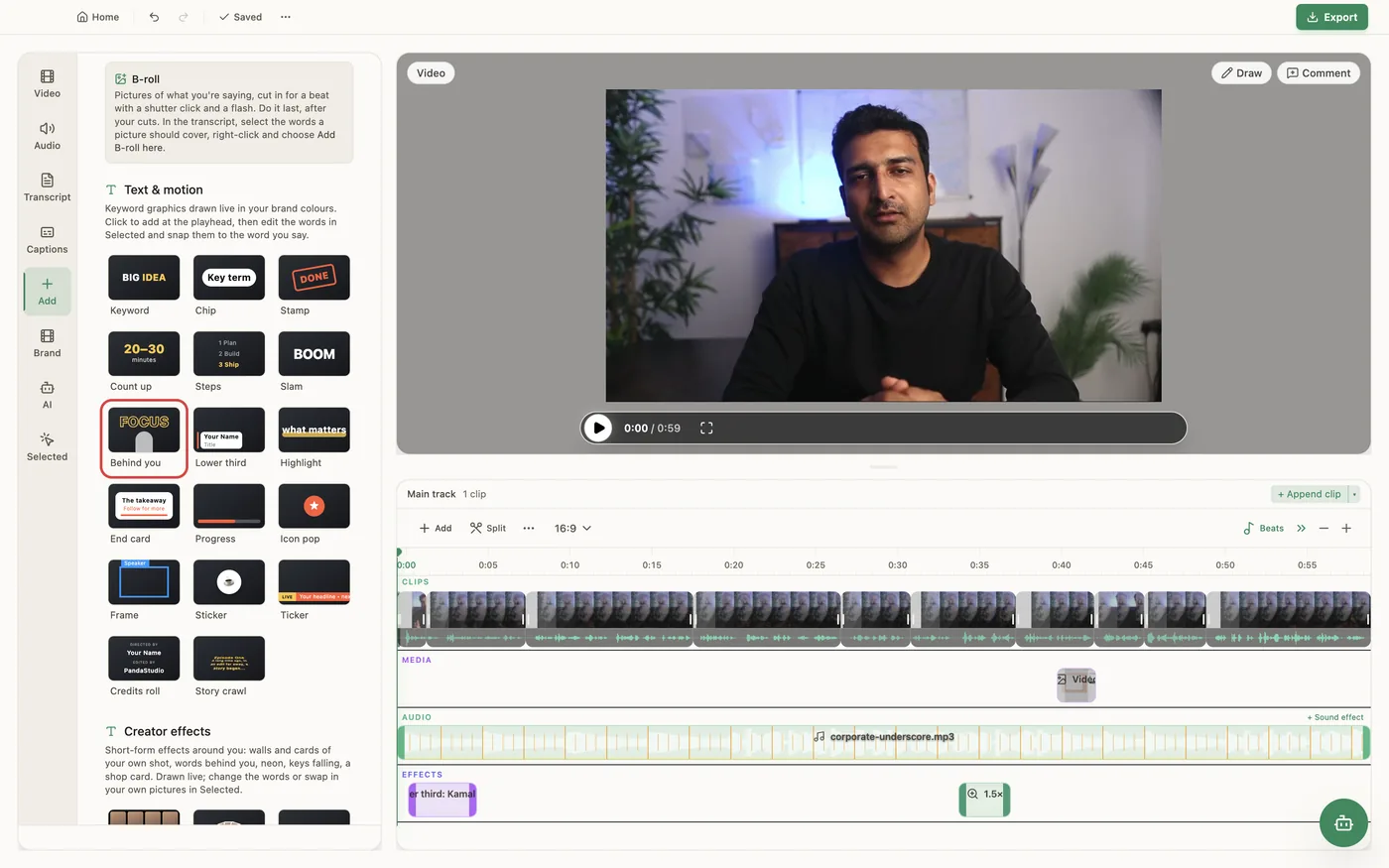
PandaStudio puts one to three big words behind the presenter's head: it finds your face, sets the words at head height and uses an on-device person cutout so your head passes in front of the letters, in the preview and the export.
Open the Add tab, choose Graphics and pick the Text behind you template (it has its own Text behind you family in the template list). Type one to three words (longer text renders smaller, on two rows), choose a style (3D editorial, Bold sans or Elegant serif) and an animation (In and out, In, then hold, or None), and add it. It lands at the playhead behind you, with the words placed at head height from face detection. It needs a person on camera: if there is no face at that moment, PandaStudio asks whether to add it in front instead. The effect works on any graphic, not just this template: select an image, video or motion graphic on the timeline, open the Selected tab and turn on Behind the person. Under More options, the Mask list also has Only on the presenter, which shows the graphic only on top of the person. Both use the same person cutout as Speaker background, which PandaStudio prepares once per video on your computer (about real time on Apple silicon) and then plays smoothly. No green screen and no upload are needed.
In the app
- 1Move the playhead to a moment where you are on camera.
- 2Open the Add tab, choose Graphics and pick Text behind you.
- 3Type one to three words, pick a style and an animation, and add it to the timeline. It lands behind you at head height.
- 4To put any other graphic behind you, select it on the timeline, open the Selected tab and turn on Behind the person.
- 5Drag the graphic's edges on the timeline to change how long it stays.
Ask the AI
Open the AI chat in the editor and say any of these. The agent does the edits for you.
CLI & MCP
Every capability is a verb, reachable from the terminal or from an MCP agent (Claude Code, Cursor, Cline, Continue, Claude Desktop).
pandastudio project.add-title-behind --id=$ID --text="Ship it" --atMs=12000 --style=bold
Runs as a job: wait with job.wait. style is 3d (default), bold or serif; position auto (head height), top or center; durationMs 1500 to 8000, default 3000. Fails if no face is on screen unless behind=false.
pandastudio project.set-overlay-mask --id=$ID --regionId=$OVERLAY_ID --behindPerson=true
Puts any overlay behind the presenter. source=person shows it only on the person; source=none removes the mask.