Browse all docs
Add a freeze frame to a video
PandaStudio adds a freeze frame by holding one frame on screen for as long as you set, from 0.1 to 60 seconds, and then carrying on from that point.
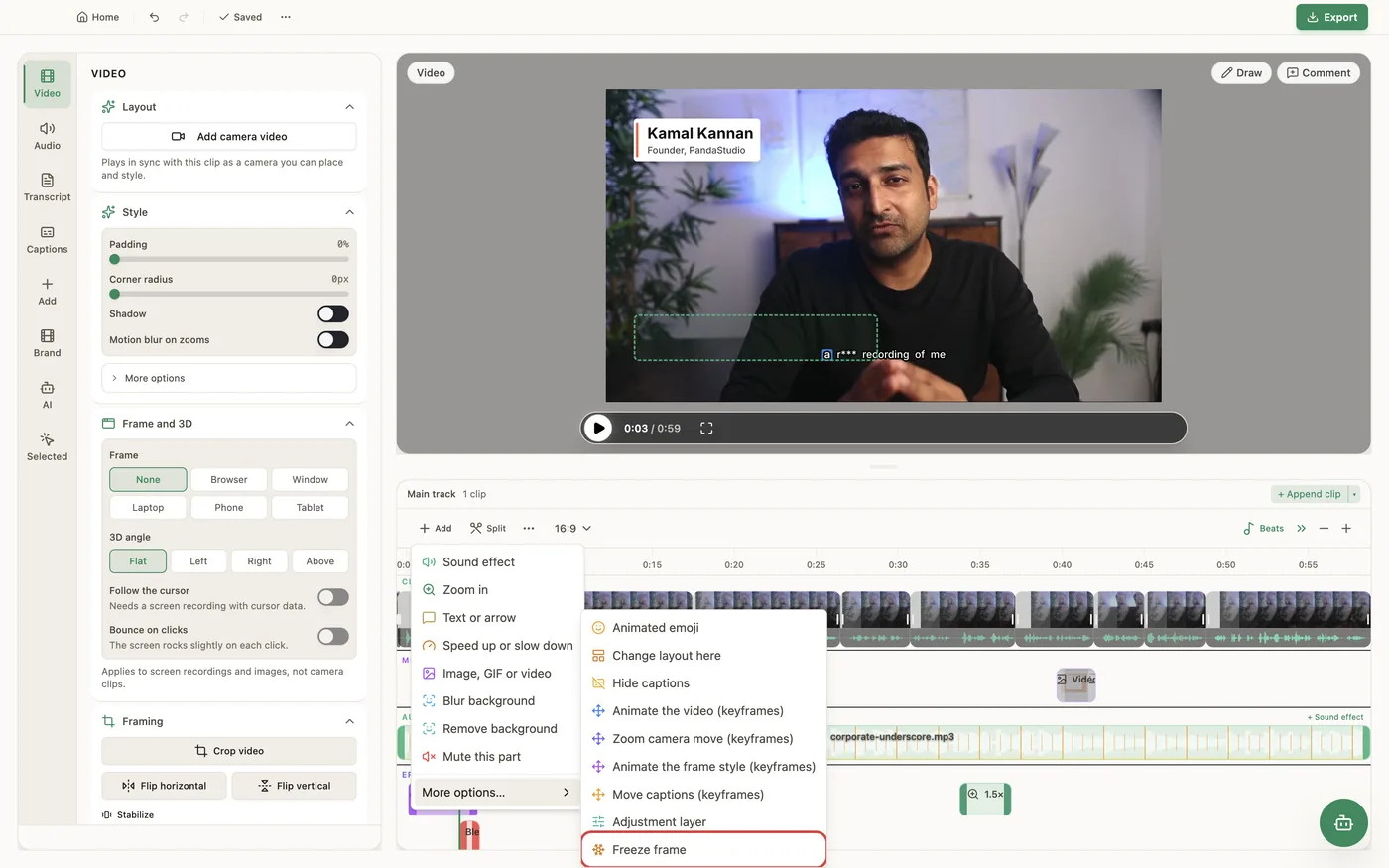
Move the playhead to the frame you want, click Add on the timeline toolbar, open More options… and choose Freeze frame. PandaStudio holds that frame for 2 seconds by default; change Hold the frame for in the Freeze frame panel to any length from 0.1 to 60 seconds. The hold adds its length to the video, and everything after it (captions, zooms, overlays and animations anchored to the video) moves later with its content, so nothing drifts out of sync. The recording's own audio is silent during the hold, while music and sound effects keep playing. Fades, overlays and color adjustments keep playing over the frozen picture, in the preview as in the export. A freeze frame can't go inside a speed change: put it before or after one. To remove it, select it on the timeline and delete it.
In the app
- 1Move the playhead to the frame you want to hold.
- 2Click Add on the timeline toolbar, open More options… and choose Freeze frame.
- 3In the Freeze frame panel, set Hold the frame for in seconds (2 by default).
- 4Add a text, an emoji or a graphic over the hold if you want to point something out.
Ask the AI
Open the AI chat in the editor and say any of these. The agent does the edits for you.
CLI & MCP
Every capability is a verb, reachable from the terminal or from an MCP agent (Claude Code, Cursor, Cline, Continue, Claude Desktop).
pandastudio project.add-freeze-frame --id=$ID --atMs=45000 --holdMs=2000
atMs is edited time; or pass sourceMs (a transcript word's startMs). holdMs is output ms, 100 to 60000. Returns regionId.
pandastudio project.update-region --id=$ID --regionType=speed --regionId=$FREEZE --freezeMs=5000
Change the hold. Remove it with project.remove-region --regionType=speed.