Browse all docs
Get PandaStudio Pro on iPhone with your desktop license
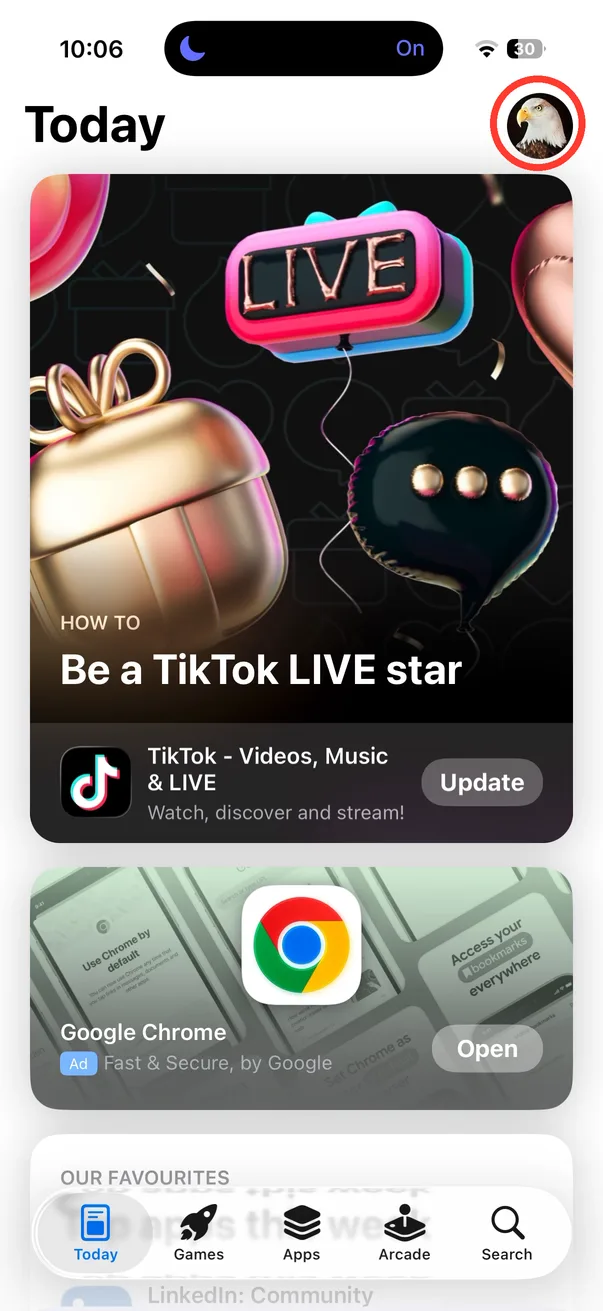
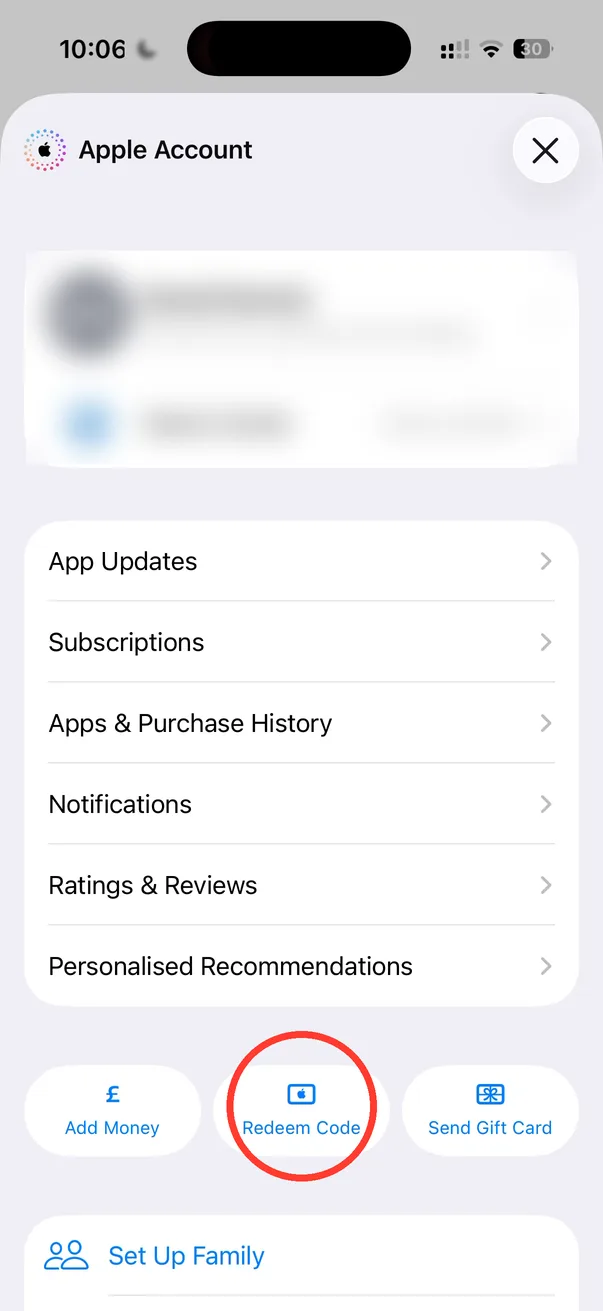
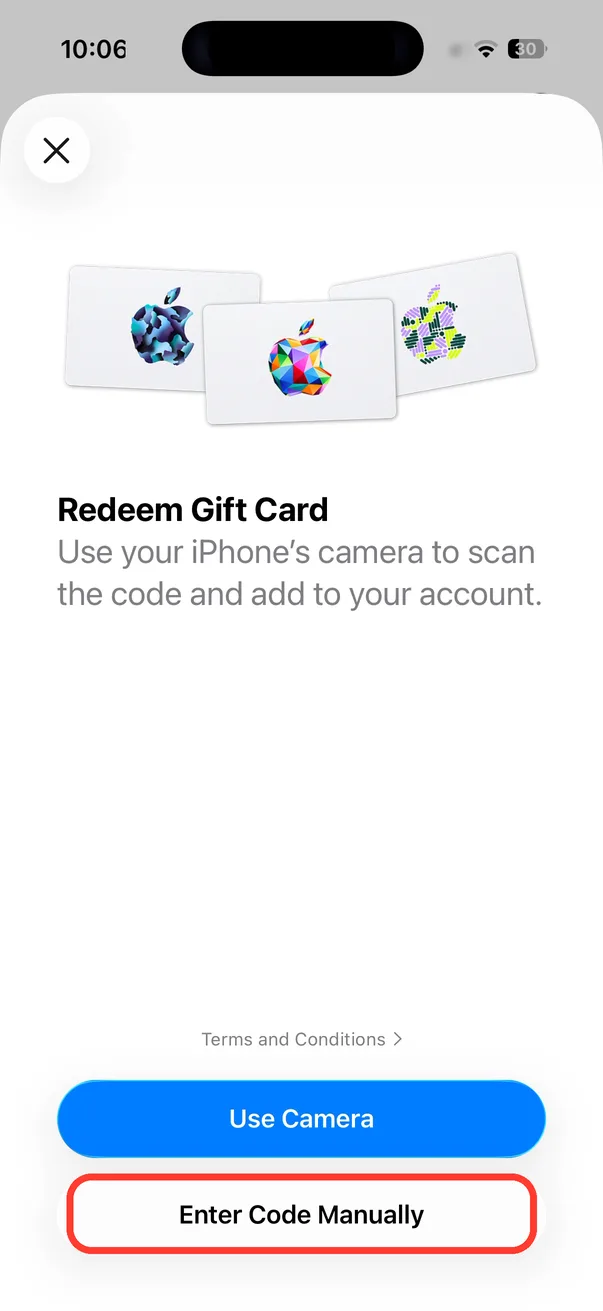
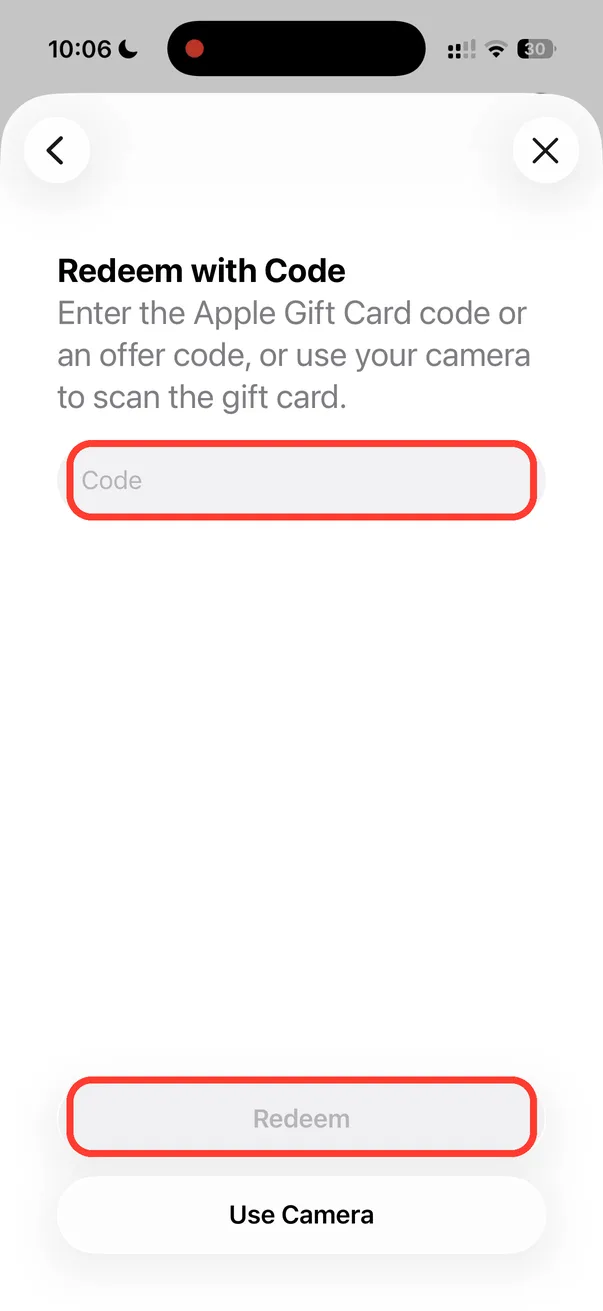
If you bought PandaStudio for Mac or Windows, email support@writepanda.ai for a free iPhone Pro code, then redeem it in the App Store app: tap your picture at the top right, Redeem Code, Enter Code Manually, type the code and tap Redeem.
The PandaStudio iPhone app gives 3 free exports, then Pro is a subscription or a one-time lifetime unlock bought through Apple. If you already own a PandaStudio desktop license, you get lifetime Pro on iPhone for free. Because the iPhone app is paid for through Apple, your desktop license key (PSTD-...) doesn't work there. Instead you get a one-time Apple code. The code is redeemed in Apple's App Store app, not inside PandaStudio, and there is no place in PandaStudio to type it. Once redeemed, Pro belongs to your Apple Account, so it works on every iPhone signed in with it and comes back if you reinstall. Each code works once.
In the app
- 1Ask for your code: email support@writepanda.ai, or ask in the chat on writepanda.ai, with the email you bought PandaStudio with (or your PSTD- license key) and the country your Apple Account is set to. You get a code of 18 letters and numbers.
- 2Open the App Store app on your iPhone (the blue app with the white A, not PandaStudio) and tap your picture at the top right. If you haven't set a photo, it shows your initials.
- 3On the Apple Account page, tap Redeem Code, next to Add Money.
- 4Tap Enter Code Manually.
- 5Type your code and tap Redeem.
- 6Open PandaStudio on your iPhone. The free exports badge is gone and Pro is unlocked. If it still shows free exports, tap the badge and then Restore at the bottom of the Pro screen.
Examples
"This code is not valid" or "can't be redeemed in your country"
Codes are made for a country. If your Apple Account is set to a different country than the one you gave us, reply to your code email with your Apple Account country and we'll send one that works there. Check for typos too: codes have no spaces and never contain the letter O or a zero.
Redeemed, but PandaStudio still shows free exports
Make sure your iPhone is signed in to the same Apple Account you redeemed the code with (Settings, then your name at the top). Then open PandaStudio, tap the free exports badge at the top and tap Restore.
Already paying for a monthly or yearly plan?
Redeem the code first, then cancel the subscription so you're not charged again: Settings, your name, Subscriptions, PandaStudio, Cancel Subscription. Apple handles refunds for App Store charges at reportaproblem.apple.com.